Sincronizar Airbnb via iCal: Guia Completo
O formato iCalendar (iCal) permite que você sincronize seus calendários em diferentes plataformas. Este guia explica como configurar uma sincronização bidirecional entre NoBeds e Airbnb.
iCal vs. Conexão API Direta
Antes de começar, é crucial entender as limitações da sincronização iCal em comparação com a conexão API direta profissional disponível no NoBeds.
Conexão iCal (Padrão)
- Sincroniza APENAS disponibilidade (datas).
- Sem sincronização de preços – os preços devem ser atualizados manualmente em cada plataforma.
- Frequência de atualização: Geralmente a cada 1-5 minutos.
API Direta (Recomendado)
- Sincronização instantânea de reservas e disponibilidade.
- Gerencie preços, restrições (estadia mínima) e conteúdo diretamente do NoBeds.
- Gerencia várias contas do Airbnb simultaneamente.
Recomendado para Profissionais
Mude para a API direta para atualizações instantâneas.
Passo 1: Exportar disponibilidade do NoBeds para o Airbnb
Este passo garante que quando você receber uma reserva no NoBeds, essas datas serão automaticamente bloqueadas no seu calendário do Airbnb.
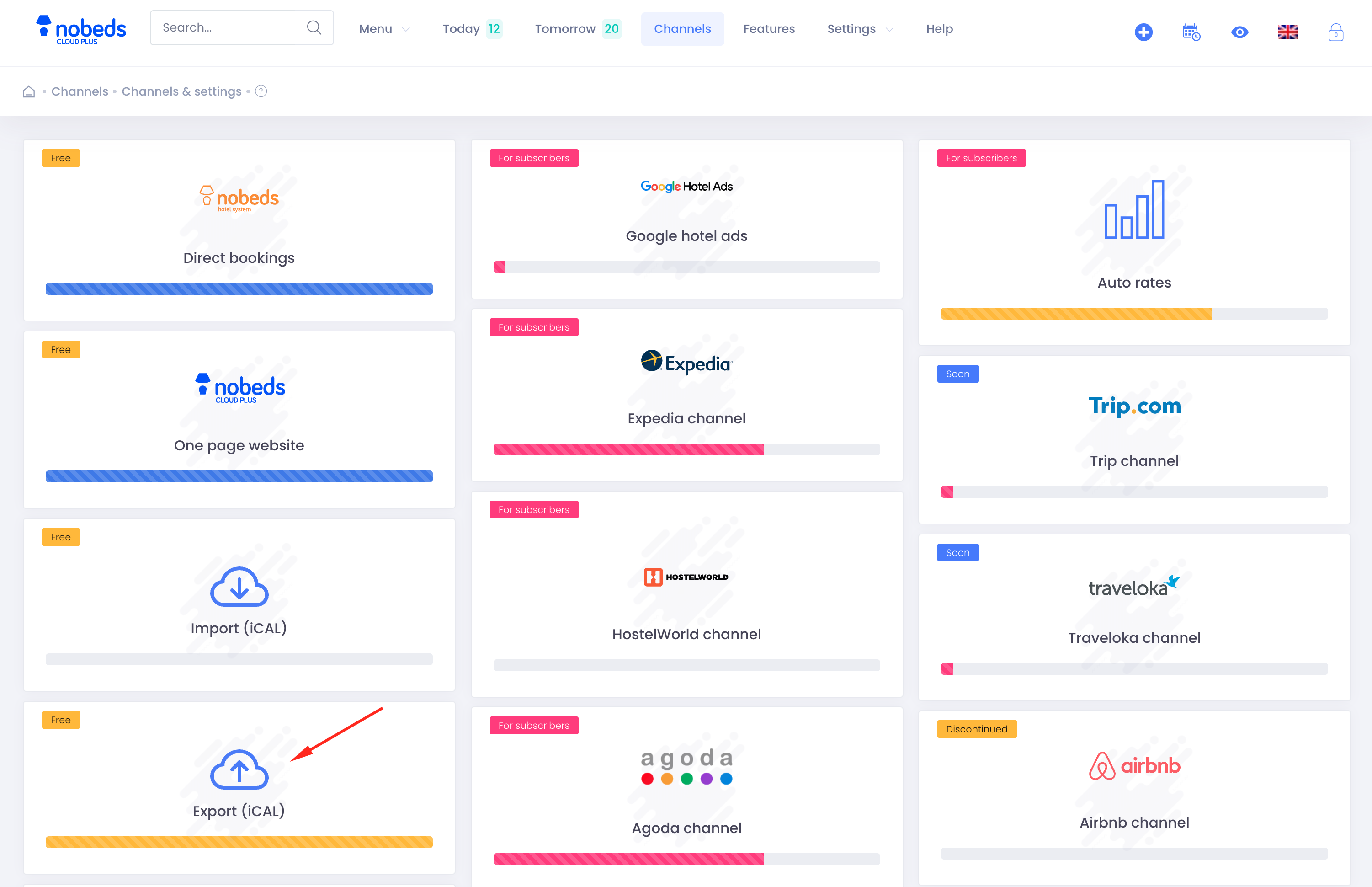
Faça login no NoBeds, navegue até o menu **'Canais'** e selecione **'Exportar (iCAL)'**.
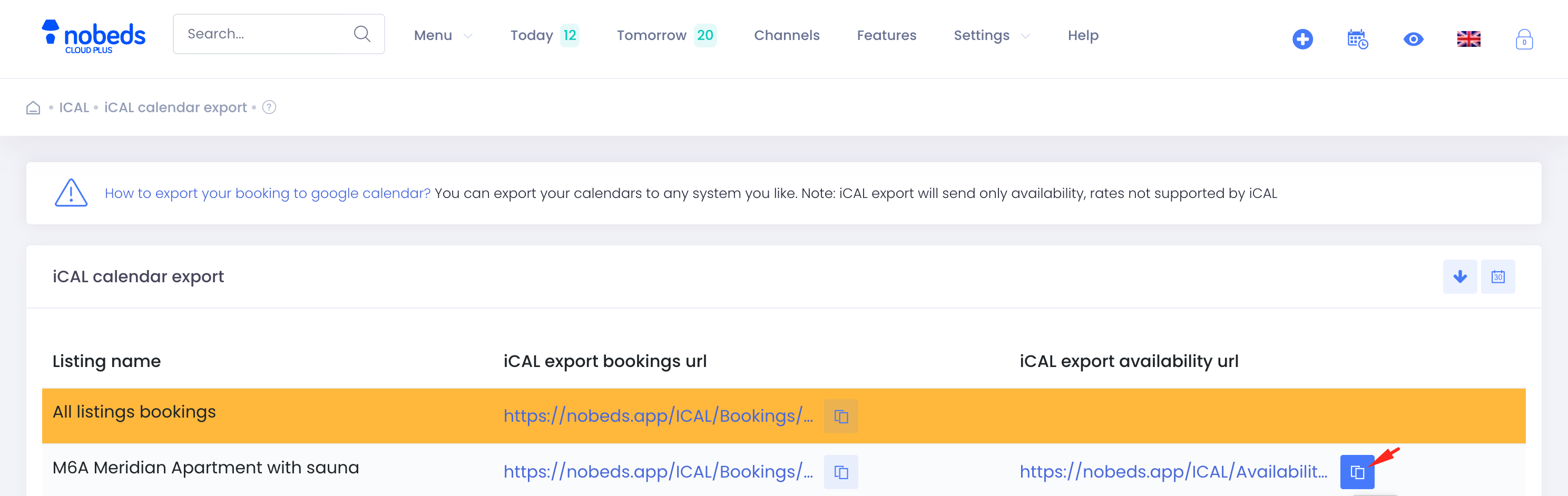
Localize o anúncio que você deseja sincronizar. Copie a **'URL de exportação de disponibilidade iCAL'** (o link terminando em .ics).
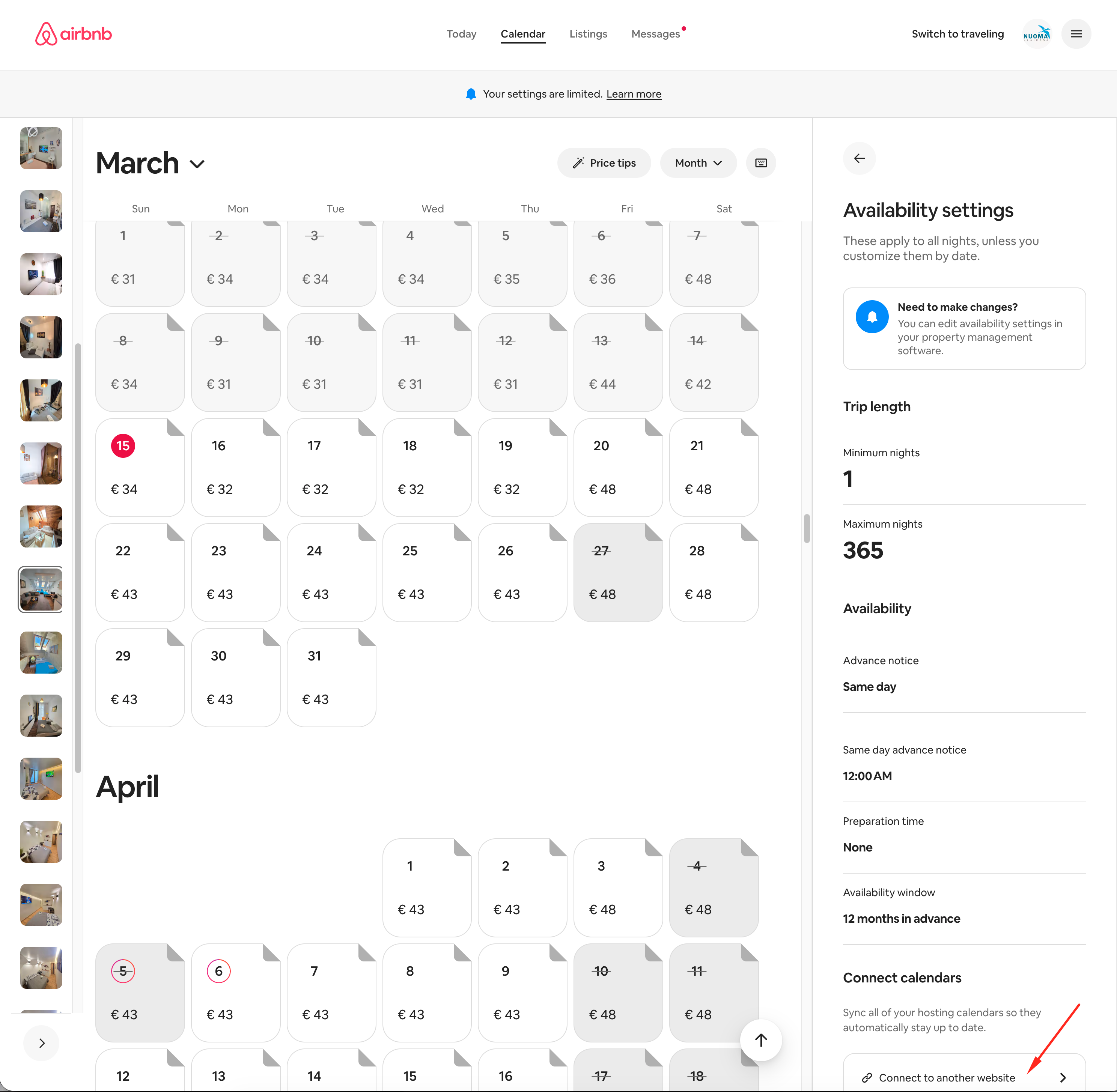
Abra o seu painel de anfitrião do Airbnb, vá para a aba **'Calendário'**, selecione o anúncio e abra as **'Configurações de disponibilidade'**.
Role até a seção 'Conectar calendários' e clique em **'Conectar a outro site'**.
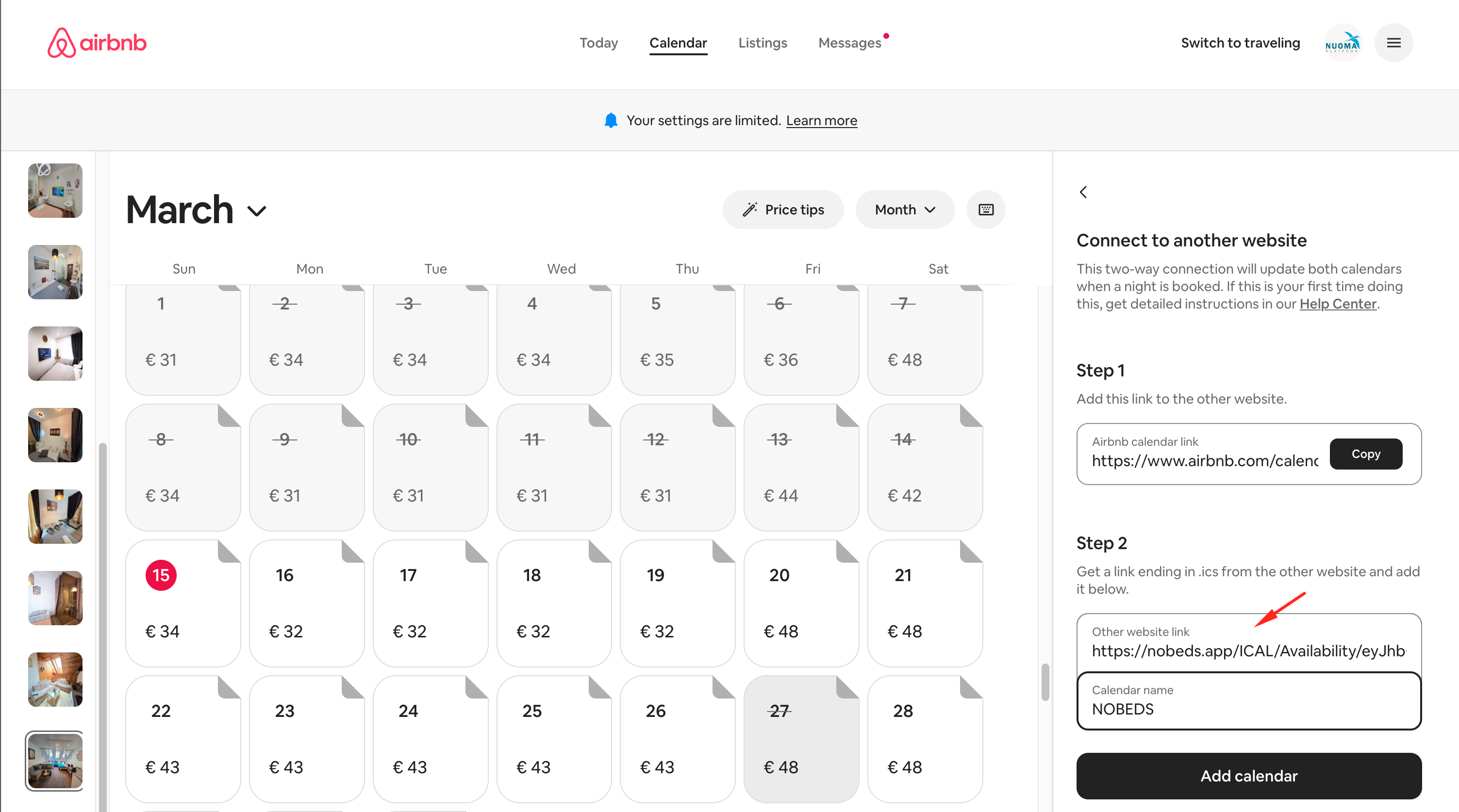
Cole a URL do NoBeds no campo 'Link para outro site', dê um nome (ex: 'Sincronização NoBeds') e clique em 'Adicionar calendário'.
Passo 2: Importar reservas do Airbnb para o NoBeds
Para completar a sincronização bidirecional, você deve importar o link do calendário do Airbnb de volta para o NoBeds.
Nas 'Configurações de disponibilidade' do seu anúncio no Airbnb, encontre o link **'Exportar calendário'** e copie a URL.
Volte ao NoBeds, vá em **'Canais'** -> **'Importar (iCAL)'**.
Clique em 'Adicionar novo', cole o link do Airbnb, selecione o quarto correspondente no NoBeds e salve.
Perguntas Comuns
Com que frequência o iCal é atualizado?
A frequência de atualização é muito rápida, normalmente a cada 1 a 5 minutos. Para atualizações instantâneas, recomendamos a conexão API direta.
Meus preços serão sincronizados?
Não. O iCal não suporta dados de preços. Você deve gerenciar os preços do Airbnb diretamente no site deles.