Bulk Price & Availability Updates
Update your nightly rates, room counts, and channel restrictions in seconds using bulk editing tools.
Bulk Updates Overview
Manually editing prices day-by-day can be tedious. NOBEDS features a powerful bulk editing utility that lets you update rates, availability, and guest restrictions for any date range. These updates are pushed to all connected OTA channels (Airbnb, Booking.com, Expedia, etc.) automatically.
How to Use Bulk Updates
1. Open the Bulk Edit Panel
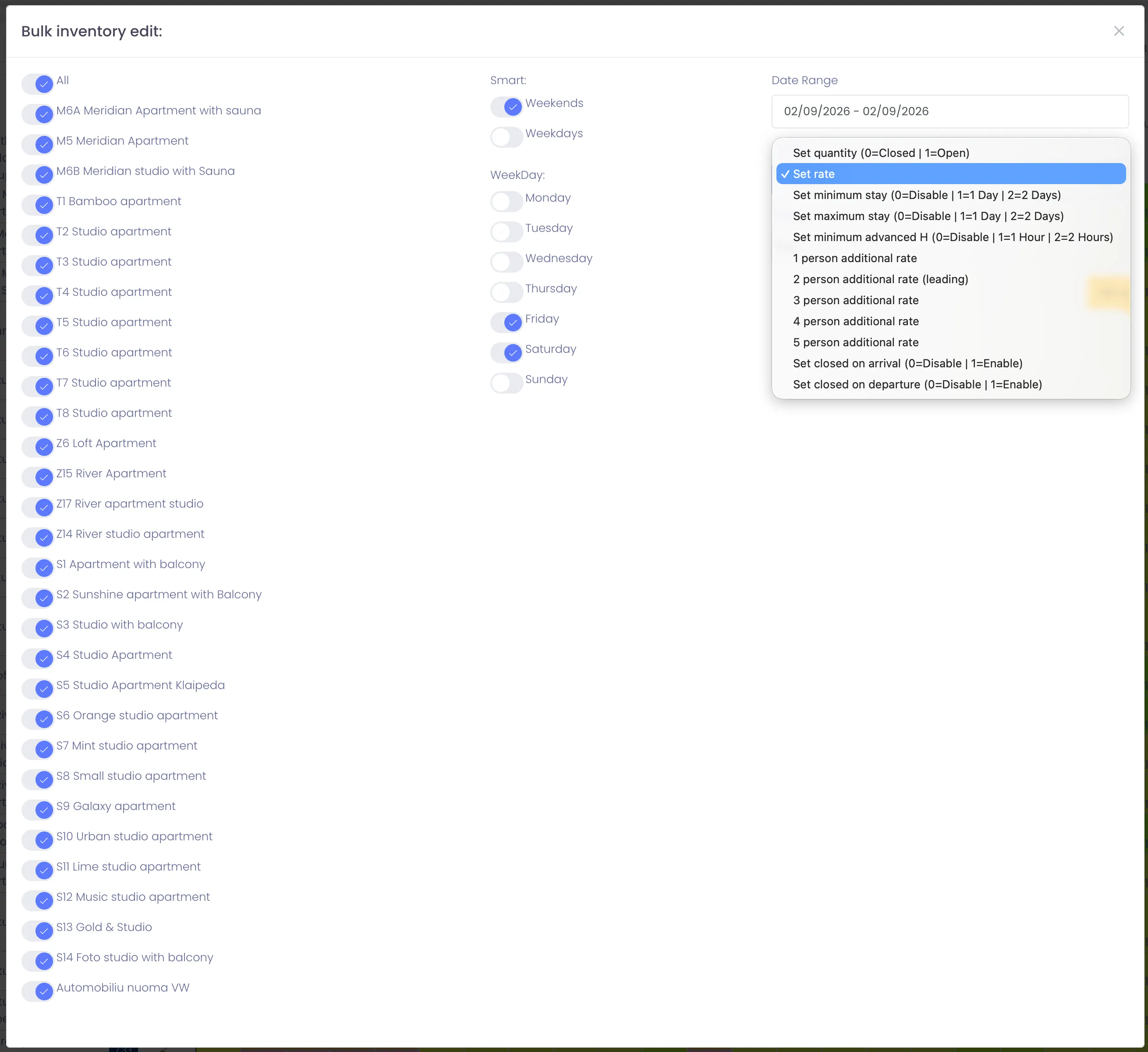
Navigate to the Calendar view. Locate and click the Bulk Update (or Set Availability/Prices) button at the top of the grid to slide open the options panel.
2. Configure Dates and Room Types
Specify your target criteria in the form:
• Date Range: Set the Start Date and End Date.
• Weekdays: Check specific days (e.g. only Fridays and Saturdays for weekend pricing).
• Select Listings: Choose which rooms or cottages to apply the rules to.
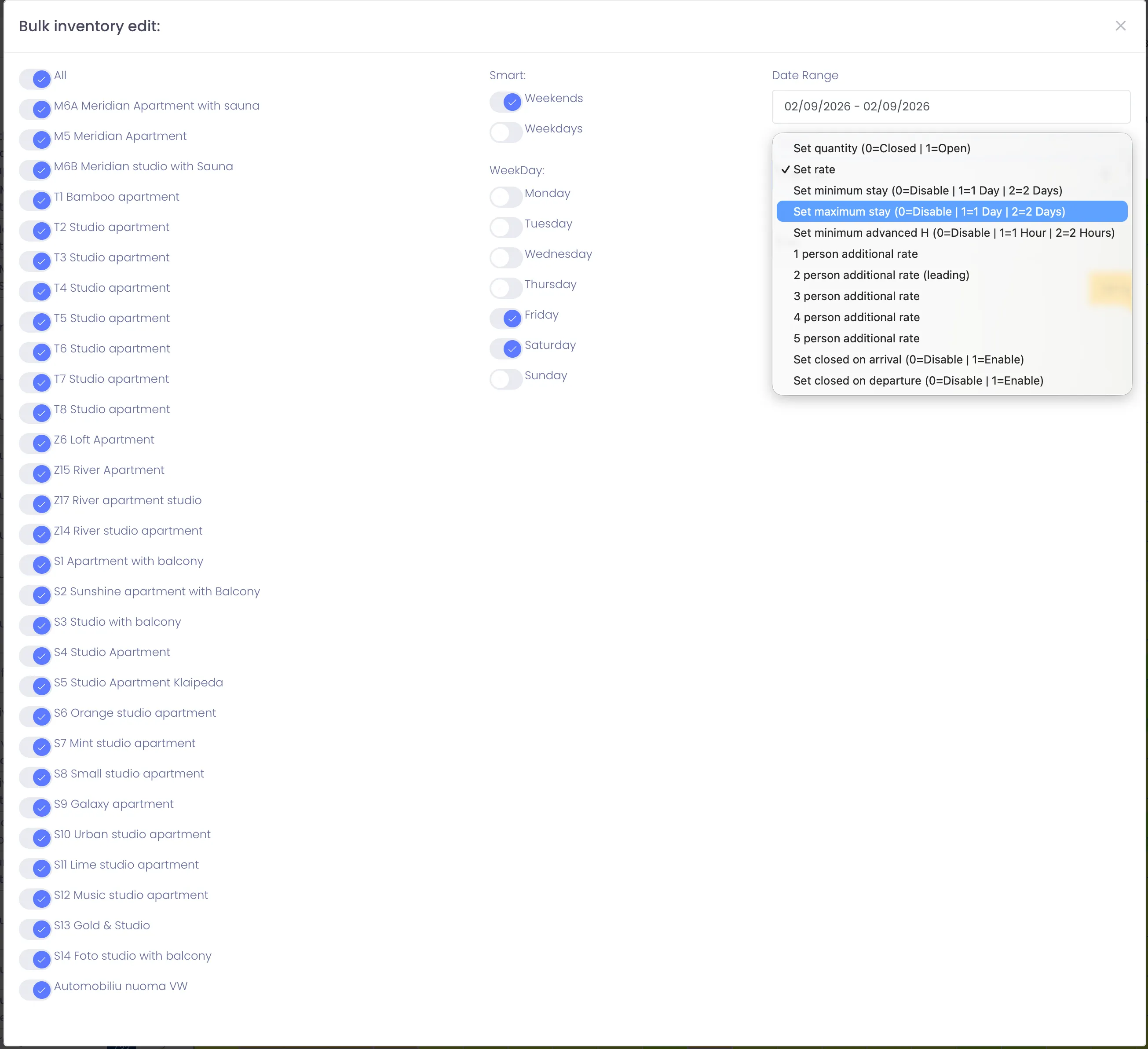
3. Set Values and Restrictions
Enter the new values you want to apply:
• Price & Availability: Update the nightly rate amount and the number of available rooms.
• Restrictions: Optionally set Minimum Stay, Maximum Stay, Close to Arrival, or Close to Departure.
Click Save/Update to push changes to all channels.
Instant Sync Queue
Once saved, the system queues the bulk updates and pushes them to your OTAs shortly after. You do not need to trigger channel updates manually. For questions, contact support@nobeds.com.