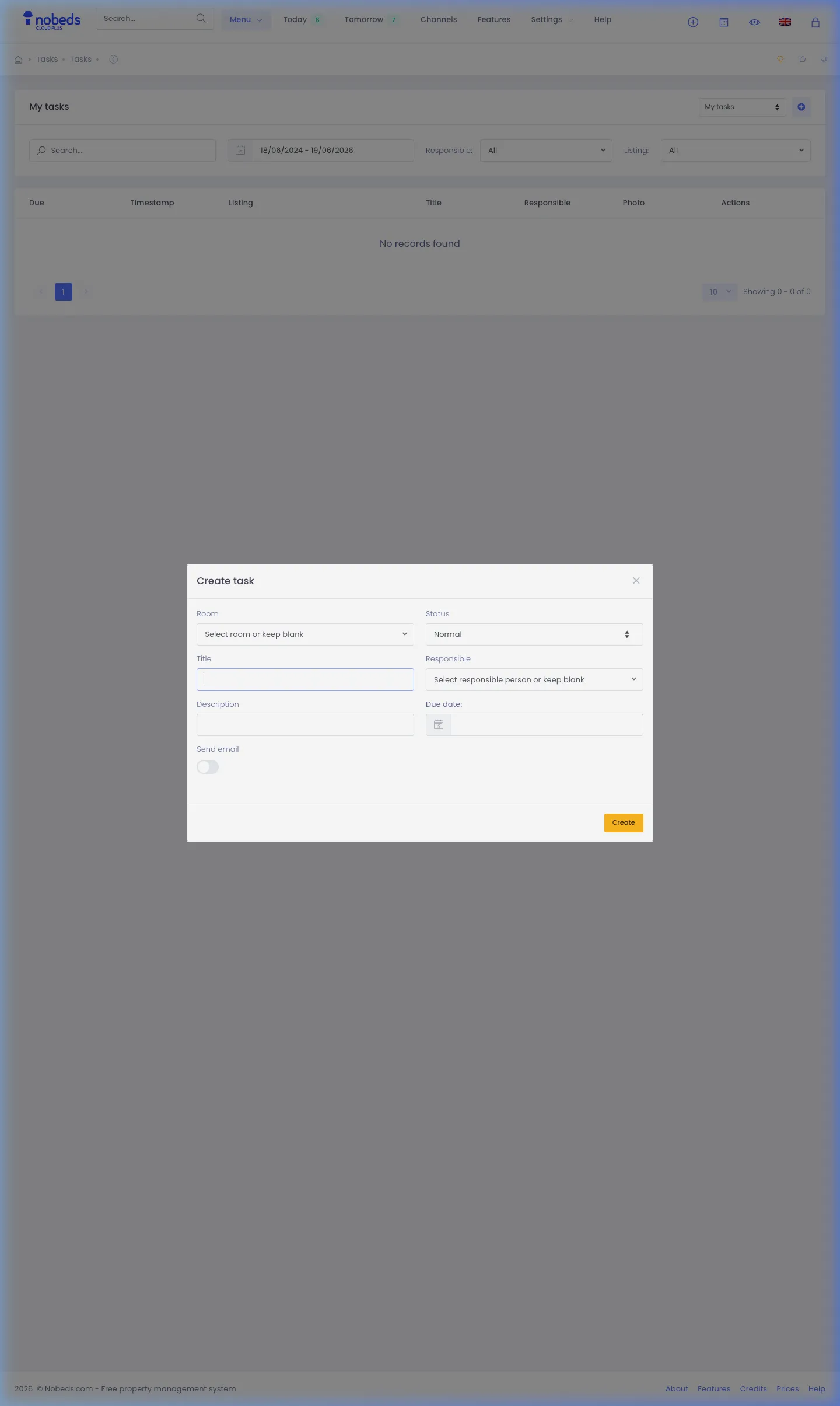
Faster way to create new tasks
Create maintenance, cleaning, or administrative tasks in seconds using the top toolbar quick actions menu.
Quick Task Creation
The NOBEDS system is designed to minimize administrative steps. Rather than navigating to the full Tasks page, you can create a new task instantly from any screen using the global header toolbar.
How to Create a Task Instantly:
- Click the + (Quick actions) icon in the top header toolbar from any page.
- Select New task from the dropdown menu. This will open the task creation popup modal.
- Fill in the details:
- Title: Name of the task (e.g., "Clean room 102").
- Description: Specific instructions.
- Room: Optional target room association.
- Responsible: Select the employee/manager assigned to the task. - Optionally, set a Due date and toggle Send email if you want the employee to receive an email notification.
- Click Save. The task is immediately registered and assigned.