How to add services and taxes
Manage additional charges, cleaning fees, tourist taxes, and VAT easily.
This guide explains how to configure reusable services and taxes in Settings and apply them to bookings in NOBEDS.
1. Create Services or Taxes in Settings
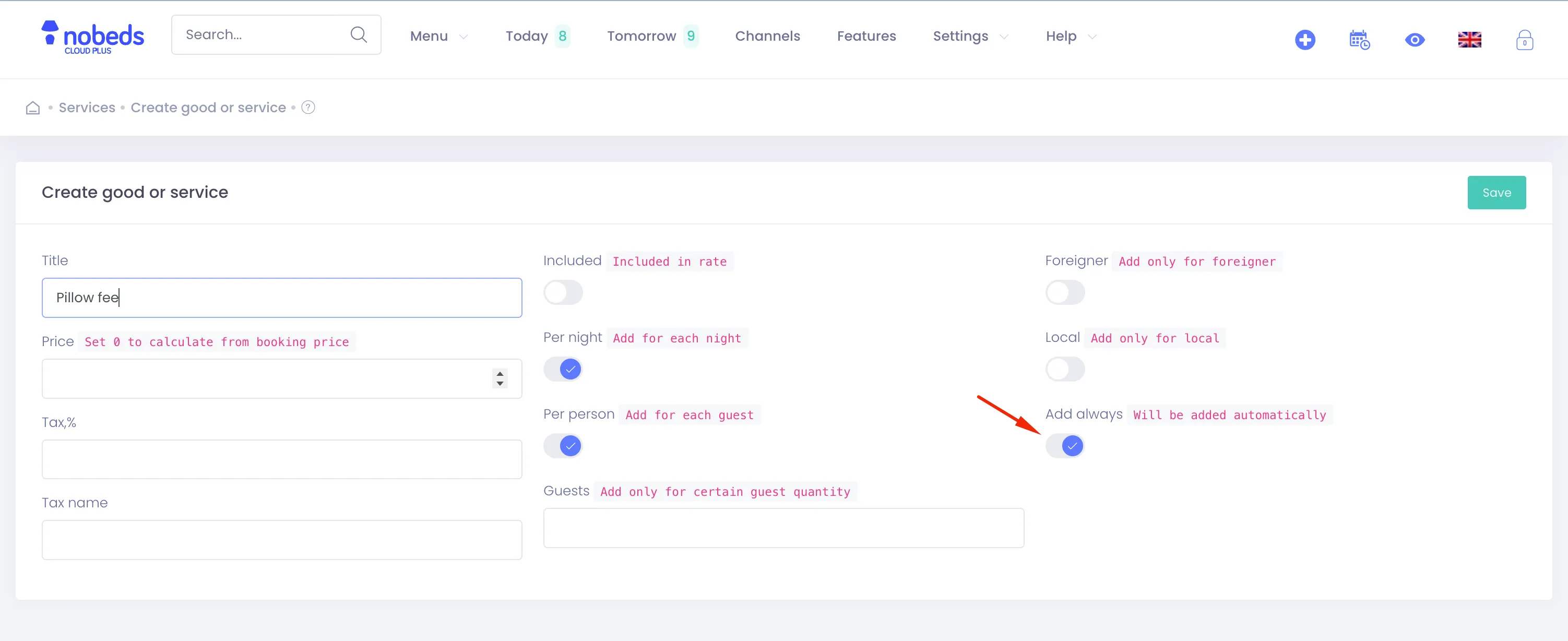
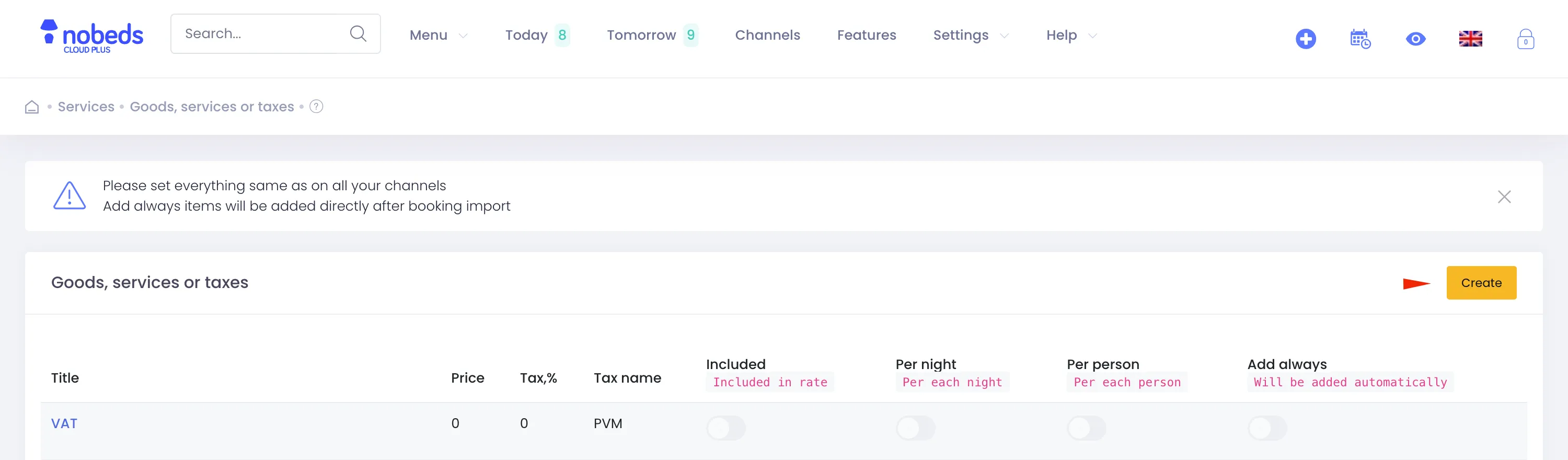
Go to Settings → Goods, services or taxes. Click Create to add a new service or tax item. Enter a descriptive title (e.g., Cleaning Fee, City Tax, Breakfast, or VAT).
2. Set Prices and Rules
Enter the default price and select tax rate percentages. Enable switches like "Add always" to automate additions, or "Per night" and "Per person" for calculations.
3. Apply to Guest Bookings
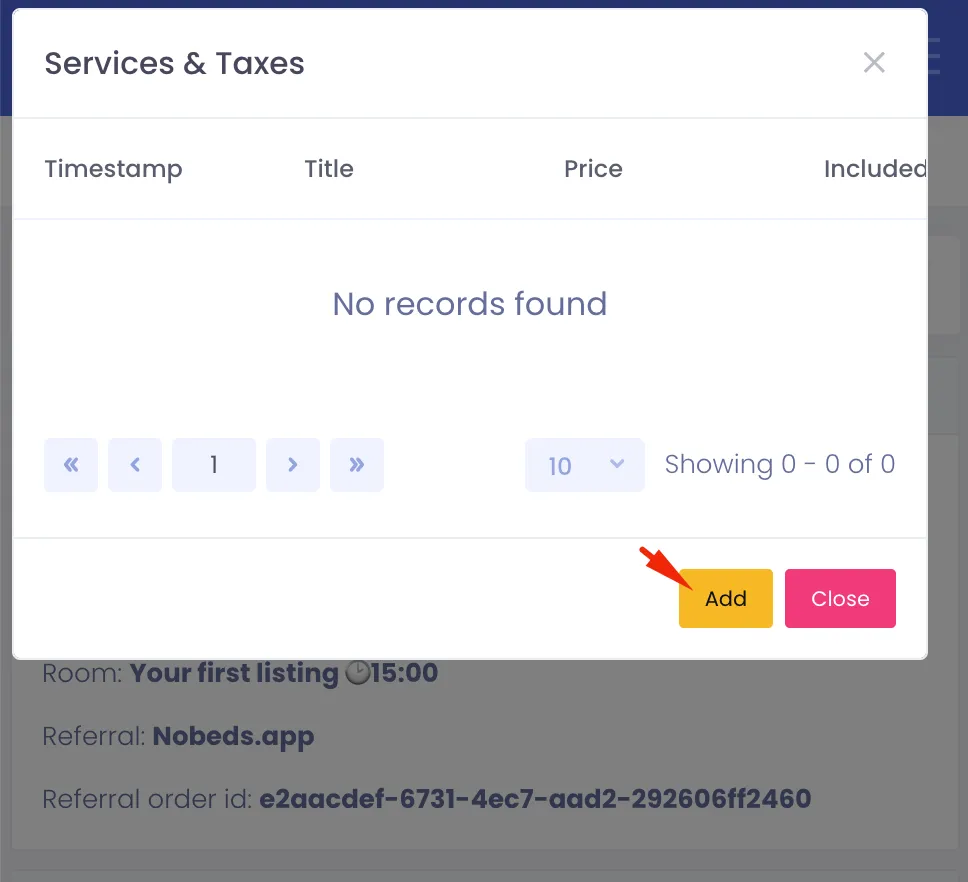
Open any booking. Click New → Services & Taxes → Add. Select your service from the list. Save to update the total price and include it in the invoice details.
Important Notes
- Services must match the definitions on connected OTA channels.
- Items with "Add always" ON automatically apply to newly imported bookings.
- Tax rates directly affect invoice calculations.
Useful Tips
- Use "Included in rate" for taxes like VAT that should not increase the room price.
- Double-check OTA setup to prevent double-charging guests for cleaning or city taxes.
FAQ
Can I edit the price for a single booking?
Yes. When adding the service to a booking, you can override the default price and it will apply to that booking only.
How do I add VAT?
Create a new item in Settings, name it VAT, set the percentage, and select "Included in rate" if it is part of the price.
Does it work for booking channels?
Yes. Setting automated services ensures OTA imports automatically receive city taxes or cleaning fees.
Click to enlarge