How to Check What Listings Are Available Today
NOBEDS provides several quick ways to check your current daily availability directly from the dashboard.
Method 1: Top Navigation Bar
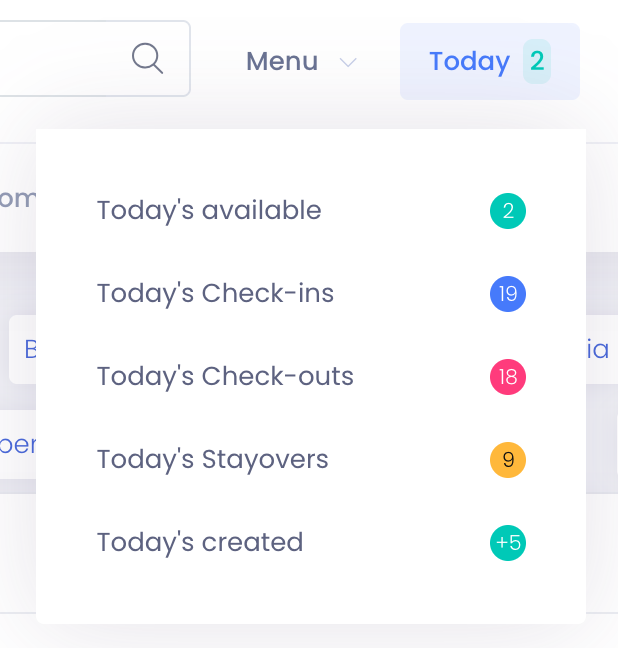
The fastest way to see your daily overview:
- 1Locate the "Today" button in the top navigation menu.
- 2Click on it to open the quick summary dropdown.
- 3Select "Today's available" to view the detailed list.
Method 2: Today Stats Widget
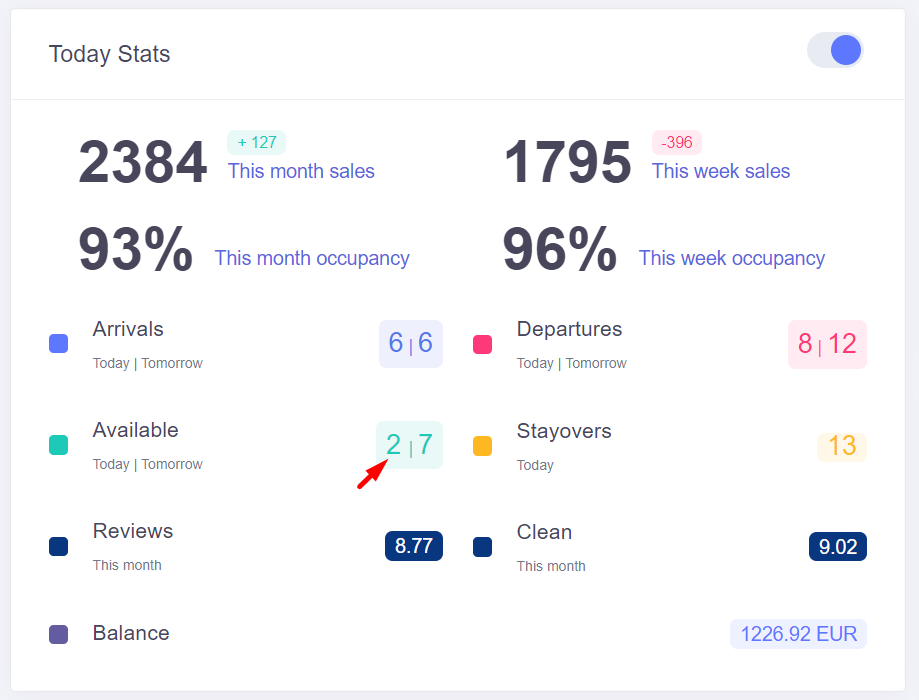
If you have the "Today Stats" module enabled on your dashboard:
- 1Locate the "Today Stats" block on your main screen.
- 2Find the "Available" metric (usually highlighted with a teal indicator).
- 3Click on the number corresponding to today to see which specific rooms are free.
Detailed Availability View
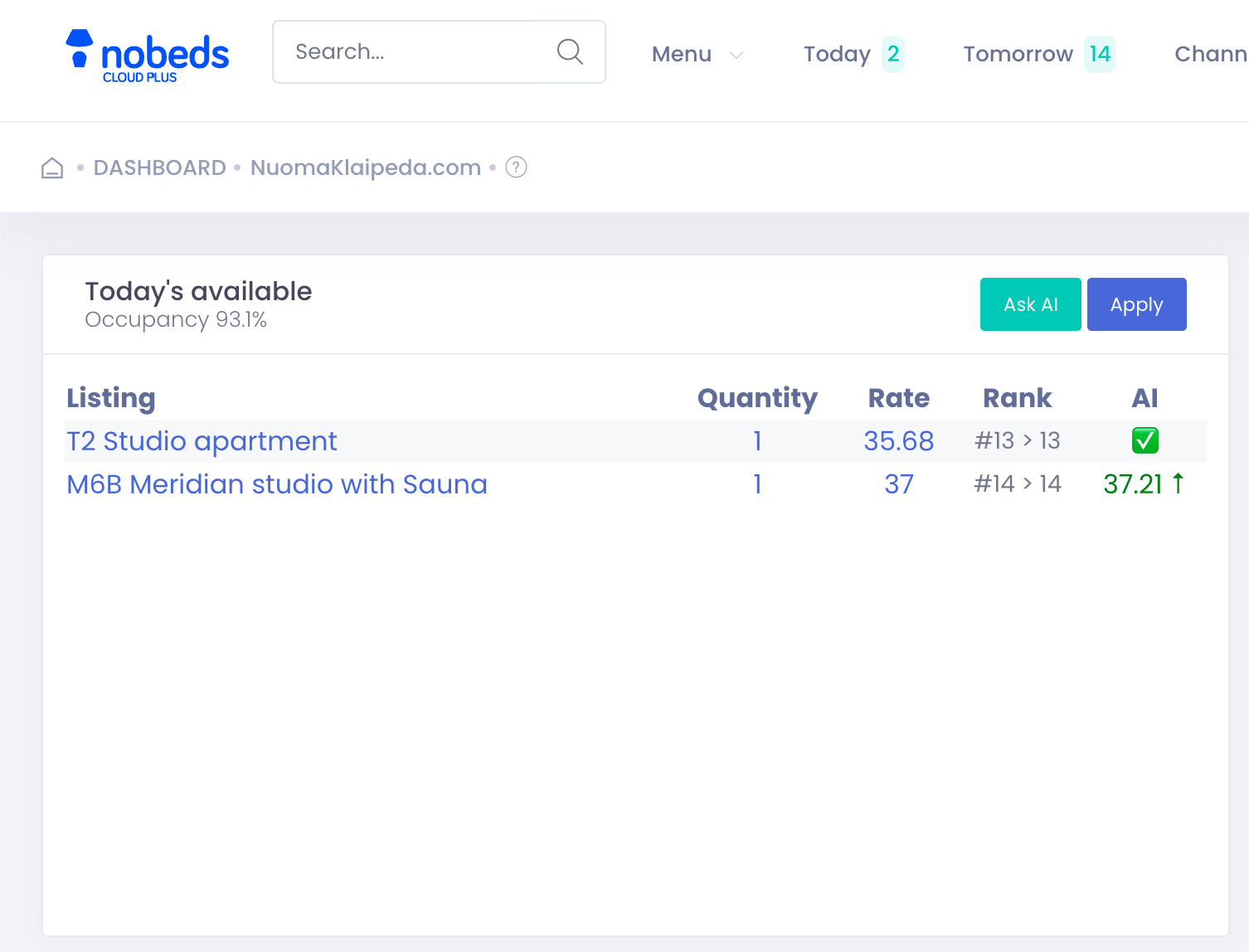
When you click on the available listings from the menu or the stats widget, a detailed panel opens showing:
- The names of the exact listings that are currently available.
- The quantity of rooms available per listing.
- The current active rate for those listings.
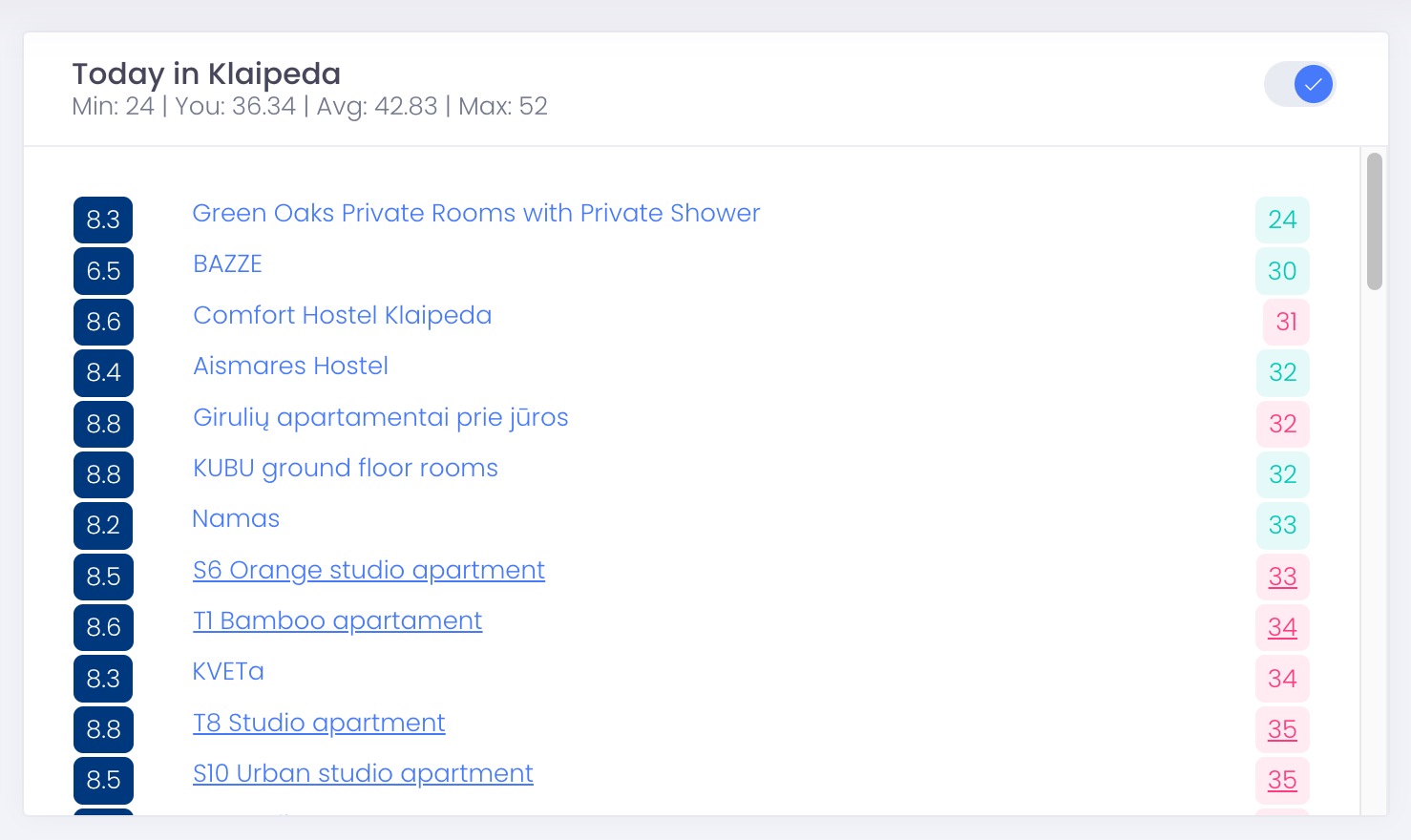
Method 3: "Today in City" Widget
For a comprehensive view of all your properties at a glance:
- Scroll down to the "Today in [Your City]" widget on your dashboard.
- This widget lists all your properties along with their current rates and statistics.