How to enable Credit Card collecting on Booking.com?
Ensure you have the necessary guest information to process payments, non-refundable deposits, and cancellation fees.
Payment Flexibility
"Depending on your business model, you might use manual terminals to swipe cards, or online payment gateways like Stripe and SumUp. In both cases, having the credit card data is essential."
Navigate to Policies
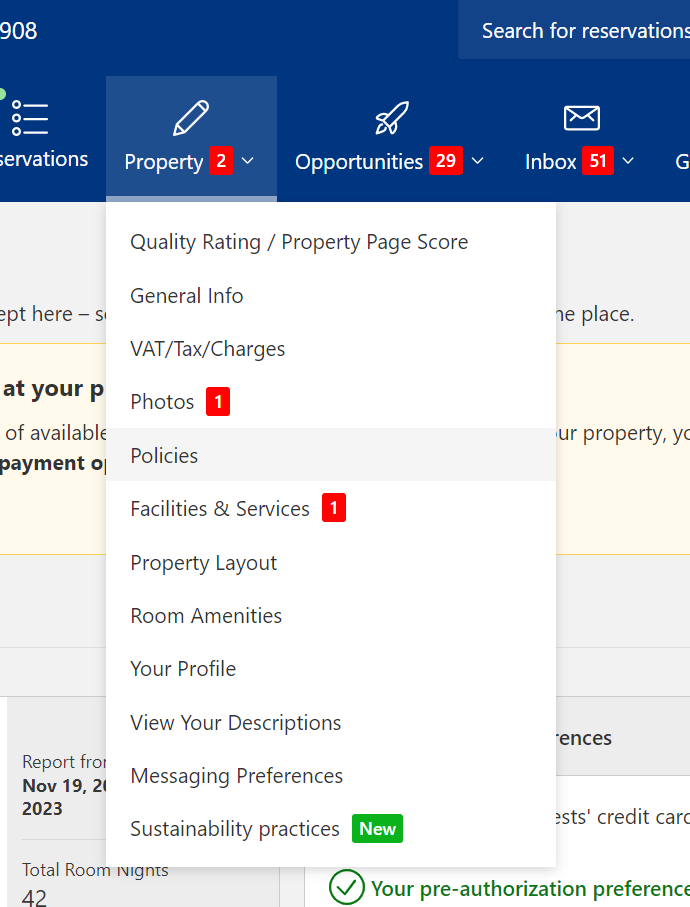
Log in to your Booking.com Extranet. Go to the "Property" menu and select "Policies". This is where all your payment and cancellation rules are managed.
Guest Payment Options
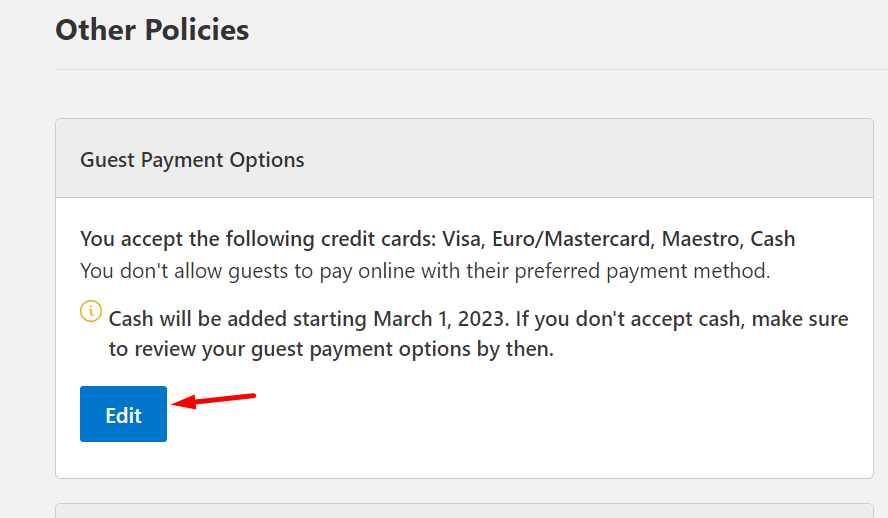
Scroll down to "Other Policies" and find the "Guest Payment Options" section. Click the "Edit" button to modify how you accept payments.
Select Accepted Cards
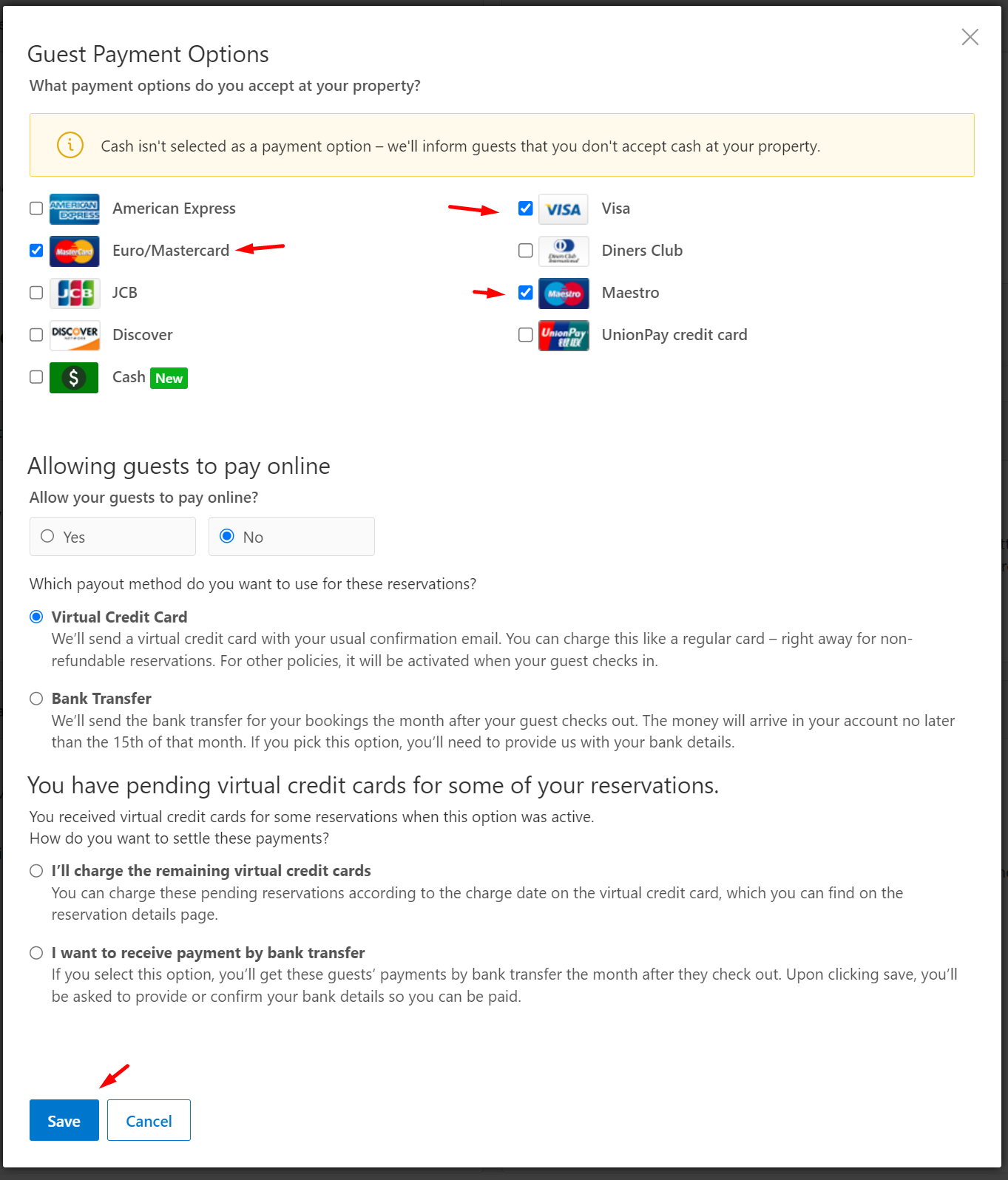
Check the boxes for the credit cards you are able to process (Visa, Mastercard, etc.). Ensure "Allow guests to pay online" is configured according to your preference (using Virtual Credit Cards or Direct charging).
Avoid "No CC" Exceptions
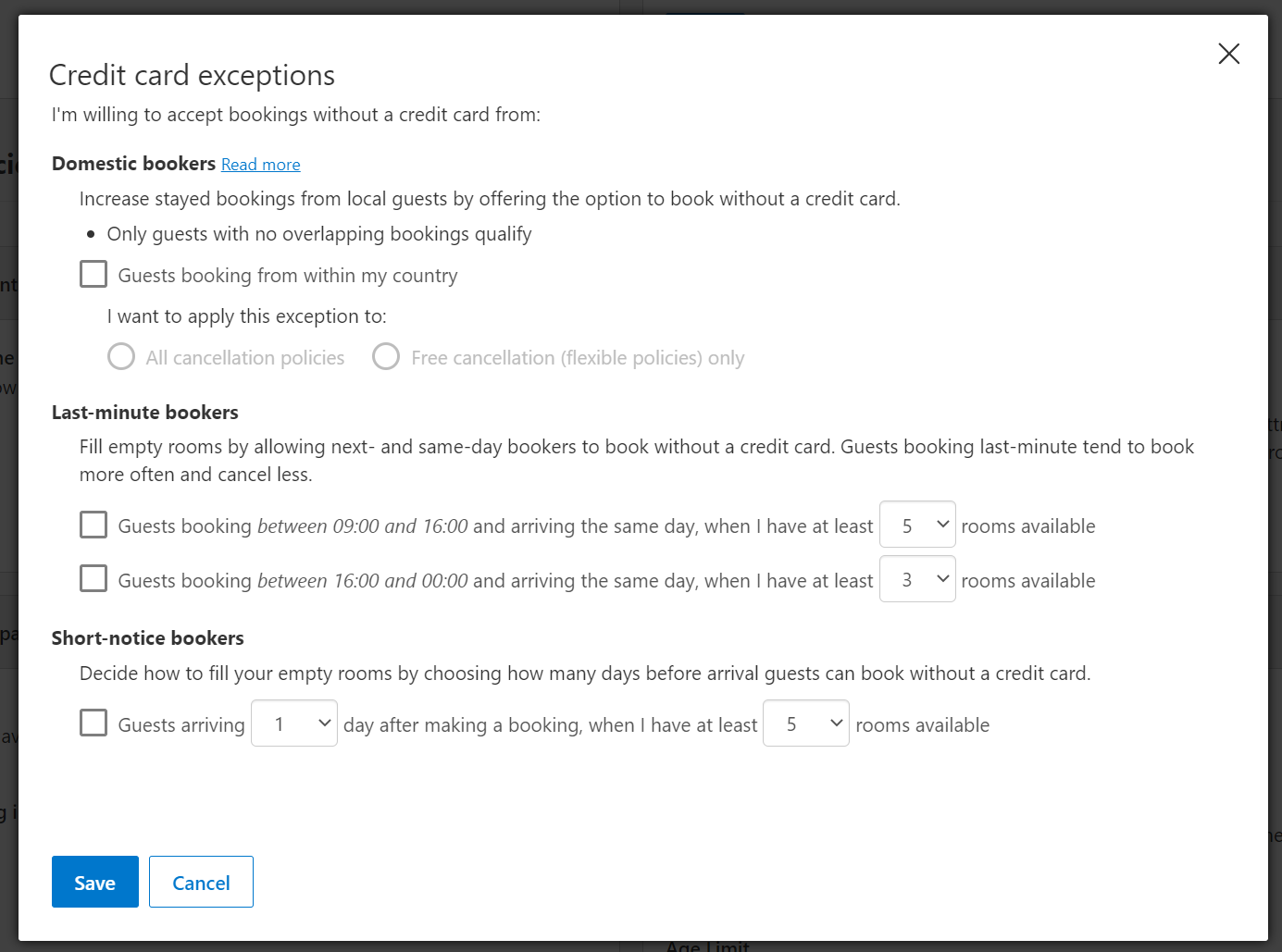
Booking.com often encourages "Credit Card Exceptions" for domestic or last-minute bookers. To ensure you always receive card details for every booking, make sure these exceptions are disabled.
Why collect card data?
Manual Charging: Use physical terminals for on-site or remote processing. Card information will be securely stored with each booking order.
Online Automation: Process payments automatically via NOBEDS Stripe integration.
Penalty Collection: Charge non-refundable deposits or no-show fees if guest rules are violated.
Important Note
Always ensure your cancellation policies explicitly state when and how much you will charge the guest's card to avoid payment disputes.