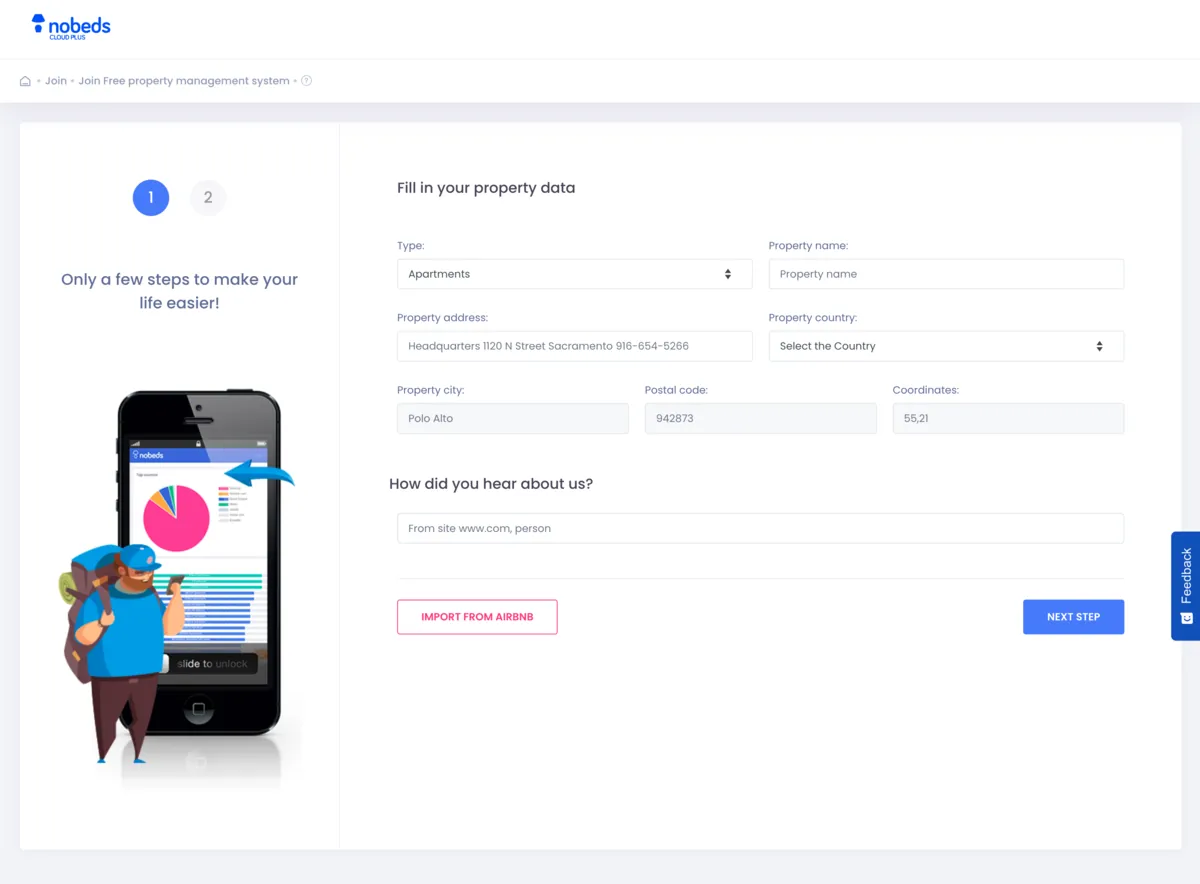
How to Join NOBEDS
Follow these two quick steps to create your free NOBEDS account and set up your property.
1
Step 1 — Fill in Your Property Details
- Open https://nobeds.app/Join
- Enter your name, email, and password
- Log in to your new dashboard
Your account is instantly activated — no credit card required.
2
Step 2 — Property Description & Business Information
In the second step, you provide your business details and contact information.
- Property description – A short summary of your place (shown to guests and used for internal reference).
- Company details – If you operate as a business, enter your legal entity information (optional).
- Property telephone number – Will appear on booking confirmations.
- Valid property email – Used for reservation alerts, guest messages, and system notifications.
This information allows NOBEDS to generate your calendar, booking engine, and reports.
3
Step 3 — Start Managing Bookings
Once your property is set up, you can:
- View and edit bookings
- Add manual reservations
- Enable your free booking engine
- Connect OTAs via the Channel Manager (Booking.com, Airbnb, Expedia)