How to list your property on Google Hotel Ads
Follow these steps to ensure your properties are visible on Google Hotels and start receiving direct bookings.
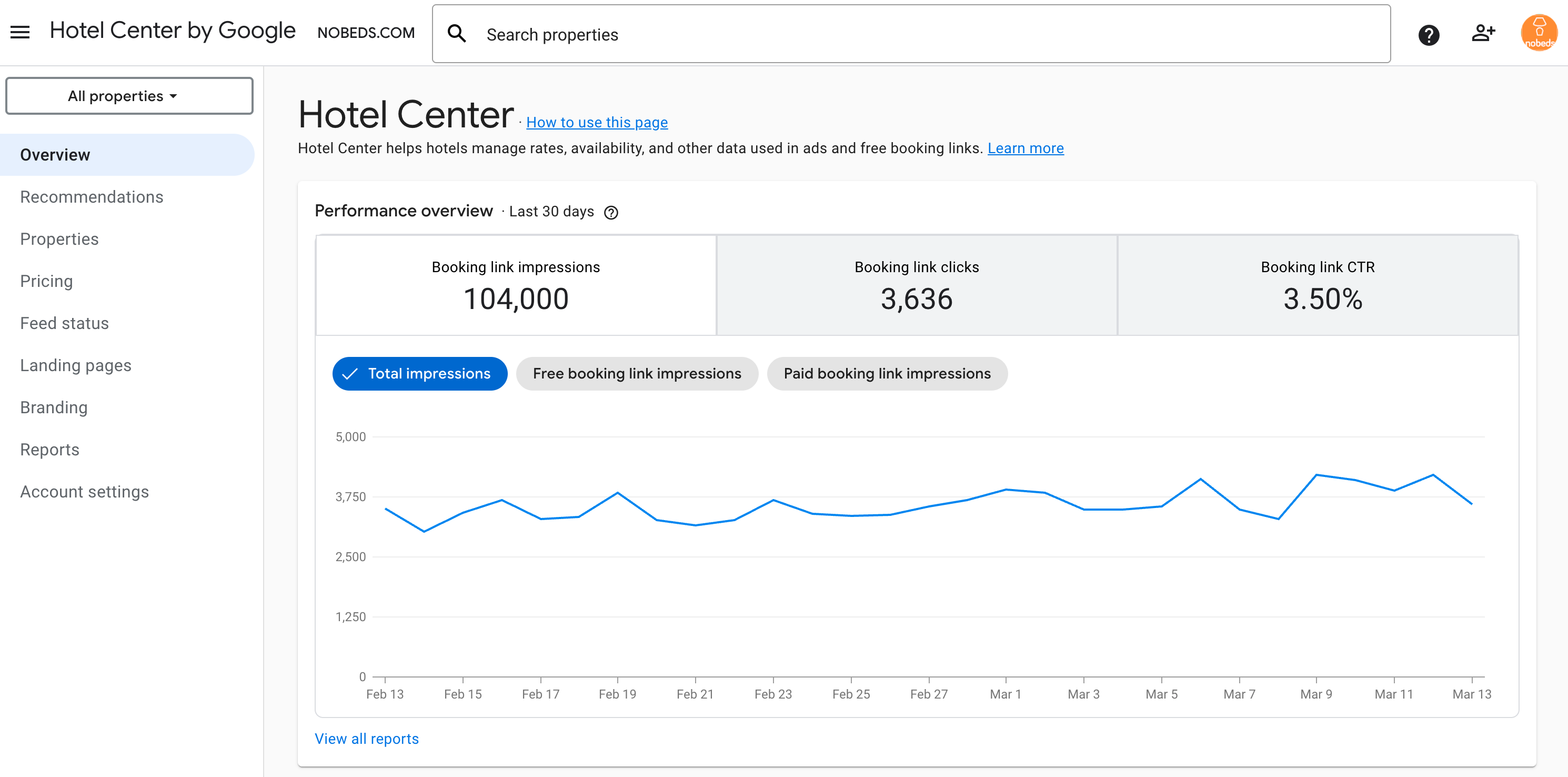
Required Data for Google
Important: Google will only begin reading and processing your information once all of these data points are fully completed.
🚧 Important: Business Type
Google accepts only Hotels and indoor lodging businesses. Please ensure your Google business profile category is correct before submitting information to Google.
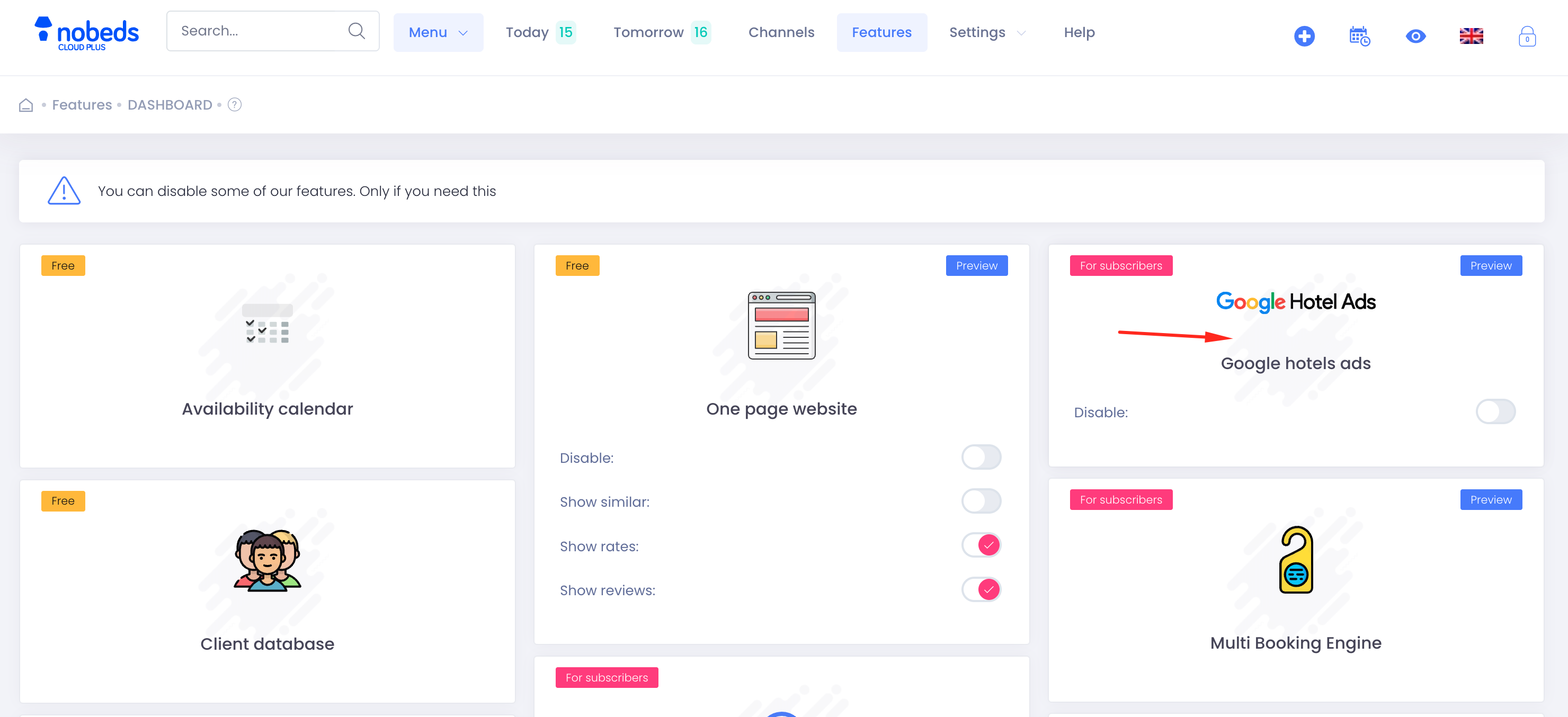
1Enable Google Hotel Ads
Navigate to the Features dashboard and ensure "Google Hotels Ads" is enabled for your account.
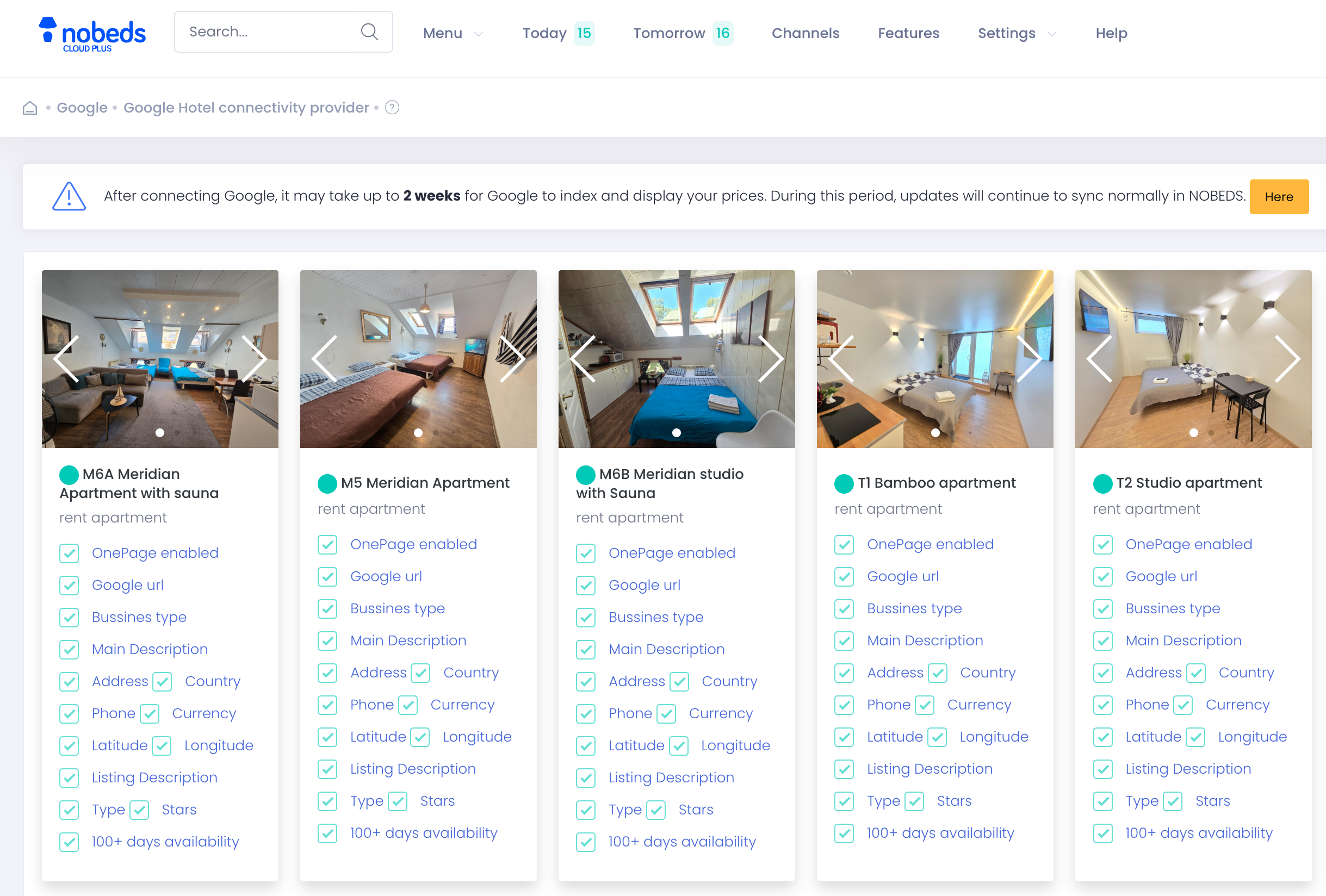
2Verify Property Checklists
In the Google Hotel connectivity provider section, verify that each listing has all requirements checked (Green checkmarks). This includes OnePage activation, Google URL, Business type, and full location details.
Every checkbox must be green for Google to accept the listing.
Integration Timeline
After 1 week: Google will read and index your Property Profile.
After 2 weeks: Google will start reading your rates and displaying your ads.
Visibility on Google Maps
After a 1-2 week processing period, your property will appear on Google Maps with real-time prices and a direct "Official Website" link. This allows guests to book directly through your OnePage site with 0% commission, and all reservations will sync automatically to NOBEDS.
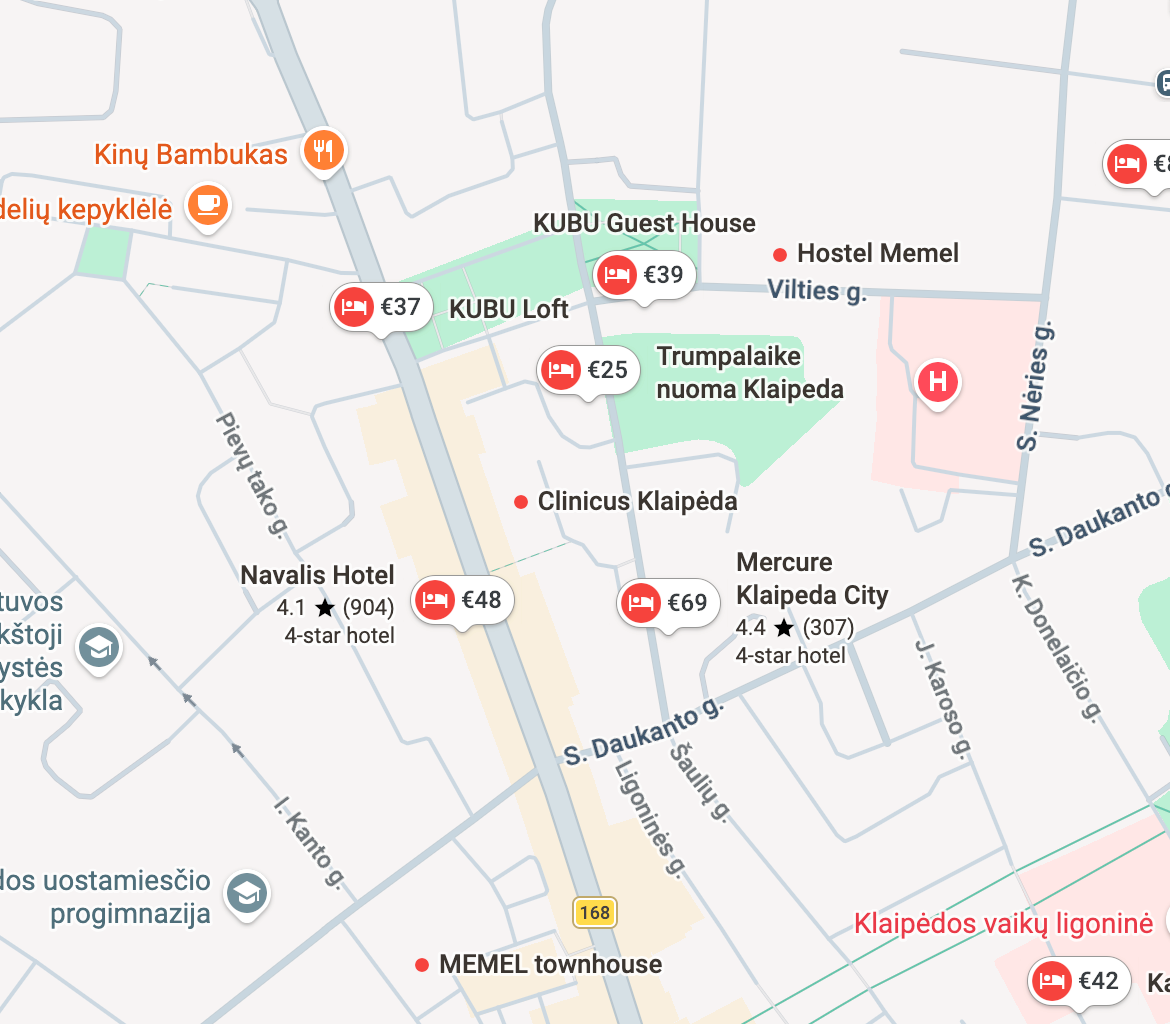
Map View
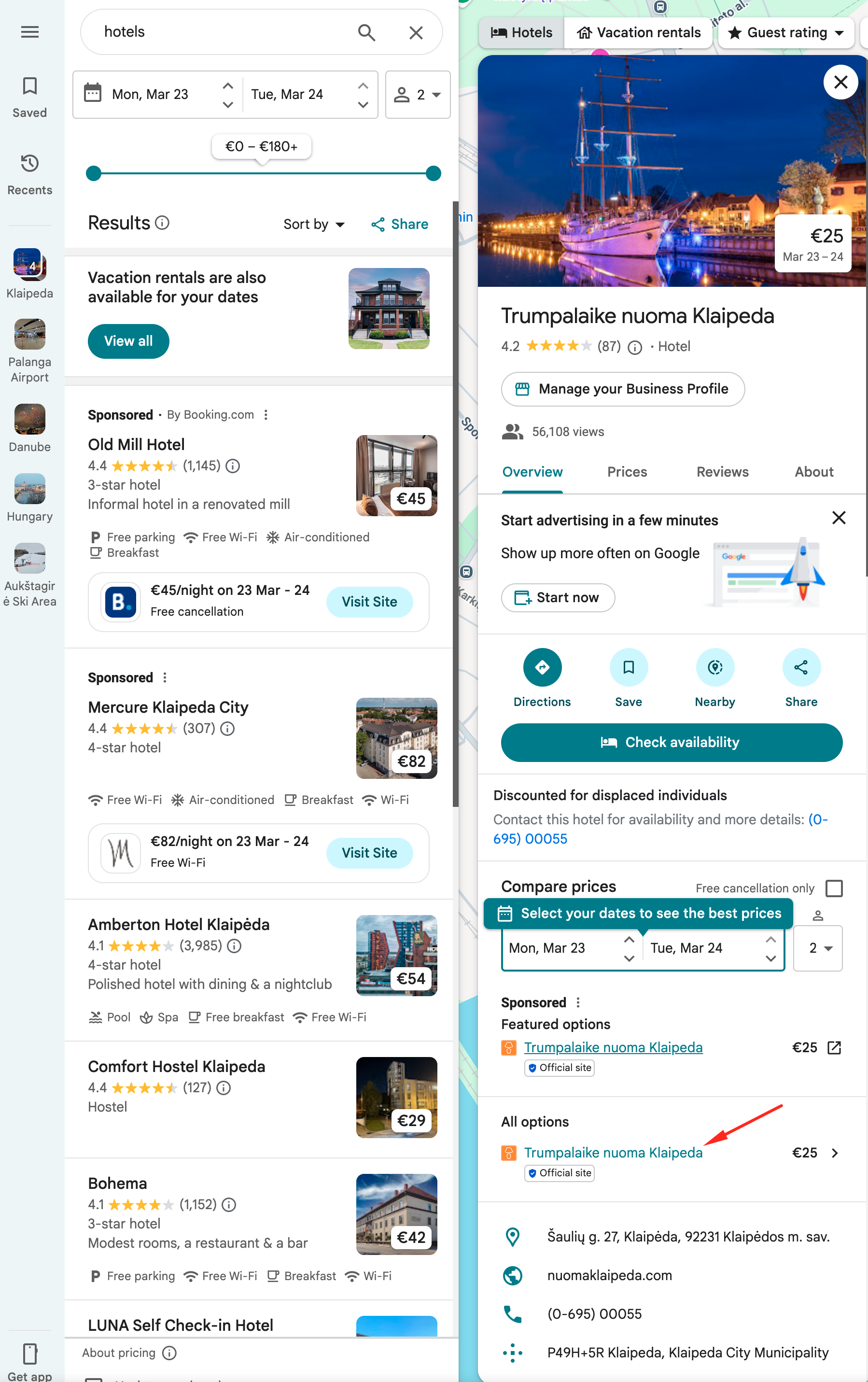
Google Business details
Important Integration Note
Ensure your "OnePage website" feature is also active, as Google uses it to verify the legitimacy and details of your property during the indexing phase.