How to set a specific price only on weekends
You can easily apply different pricing for weekends directly from the calendar.
1. Open the ChannelCalendar
Find the room and date you want to change.
Click on the colored rate cell for that day.
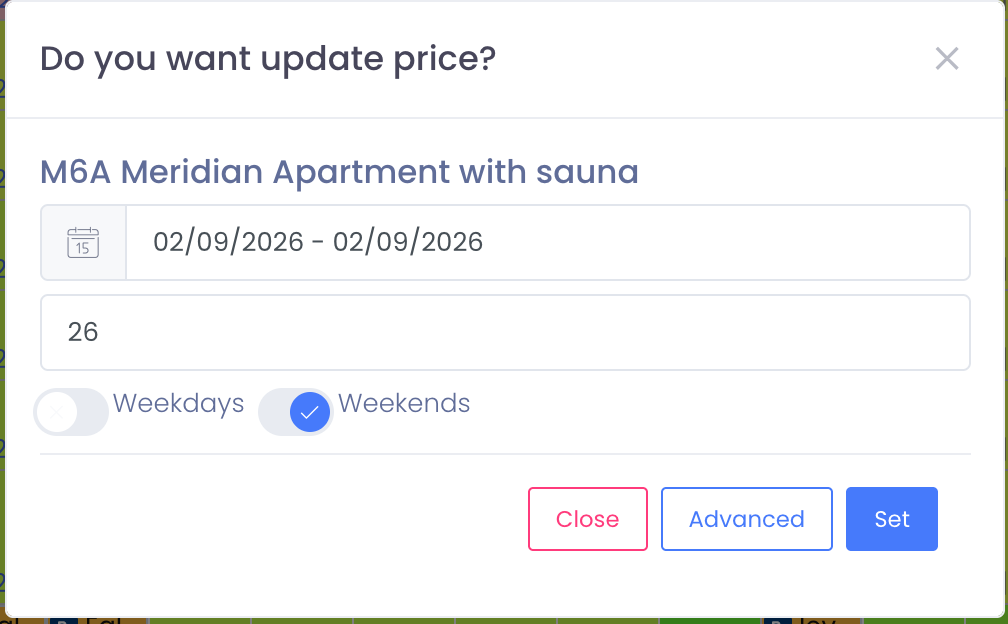
A popup will open showing the selected room and date range.
2. Enable weekend pricing
In the popup window:
- Adjust the date range if needed
- Enter the price you want to apply
- Choose Weekends only (Friday & Saturday)
- Click Set to save
The price will be applied only to weekends within the selected date range. Weekday prices will remain unchanged.
Bulk weekend pricing (Advanced)
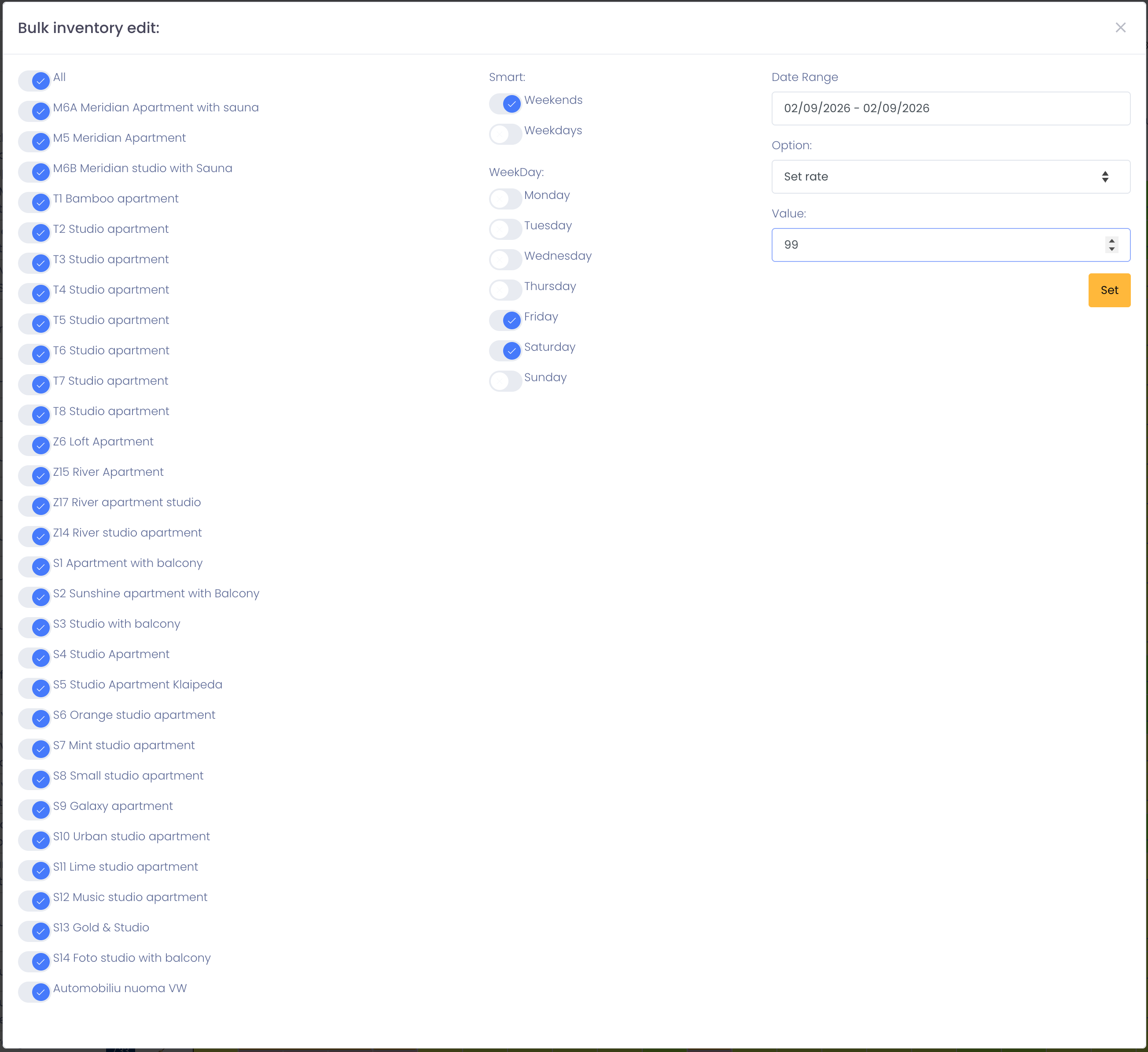
For long periods or multiple rooms, click Advanced.
The Bulk Pricing editor allows you to:
- Select multiple room types
- Choose Weekends only
- Set a fixed price or pricing rule
- Apply changes to a long date range with one action
This is ideal for seasonal pricing, high-demand weekends, or events.
Notes
- Weekend pricing applies to Friday and Saturday by default.
- You can combine weekend pricing with minimum stay or availability rules.
- Prices are synchronized in real time to Booking.com, Airbnb, Expedia, and all connected channels.
Tips
- One or two weekends → click the day cells directly
- Many weekends or many rooms → use Advanced (Bulk Edit)
- Always double-check prices in the calendar after saving