Set different rates for different numbers of guests
Adjust your listing base price depending on the number of guests staying.
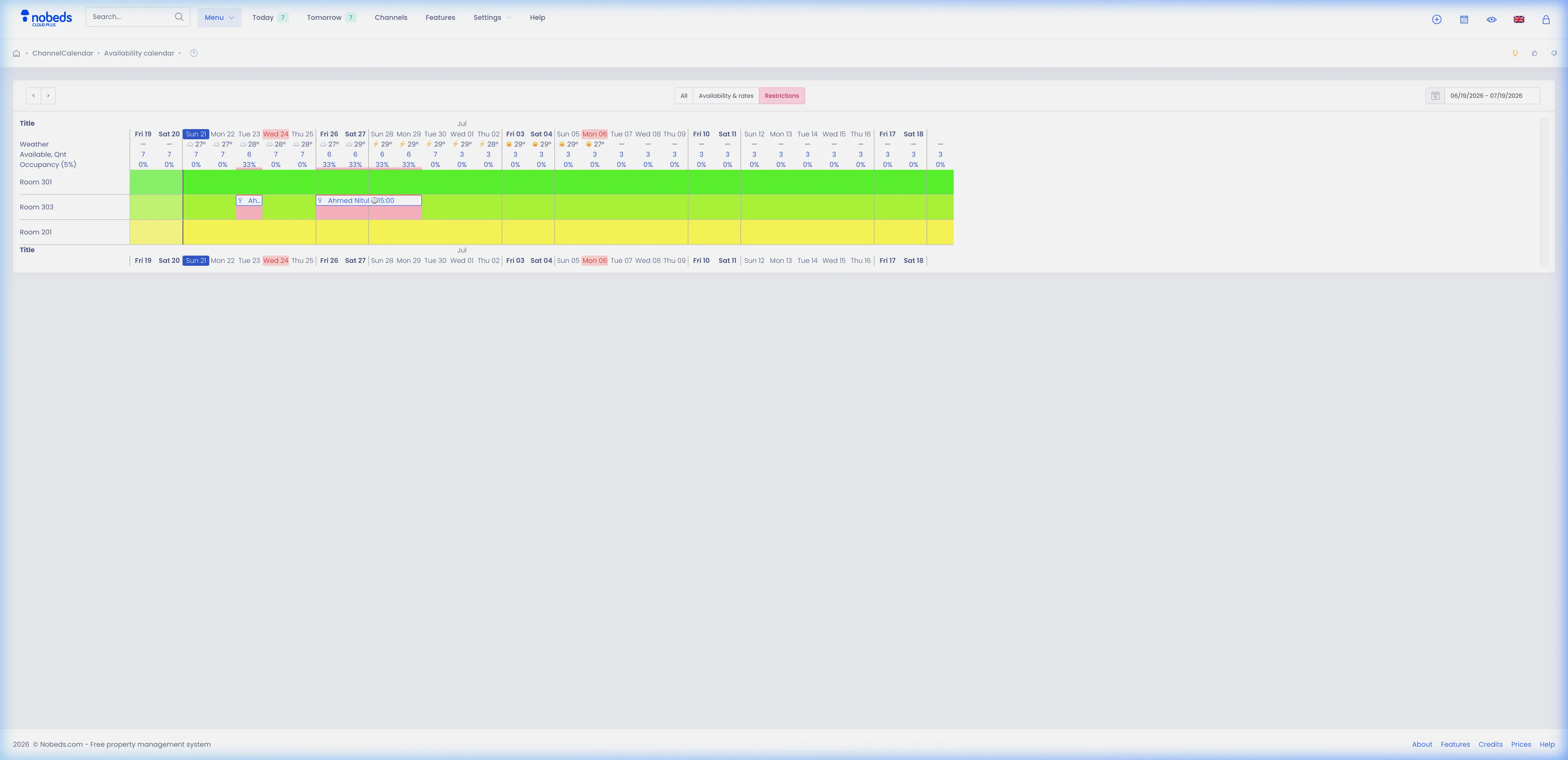
1. Access Availability Calendar
To begin, open the calendar grid:
- Navigate to the main menu and select Availability calendar.
- Locate the room type and specific date cell you want to adjust.
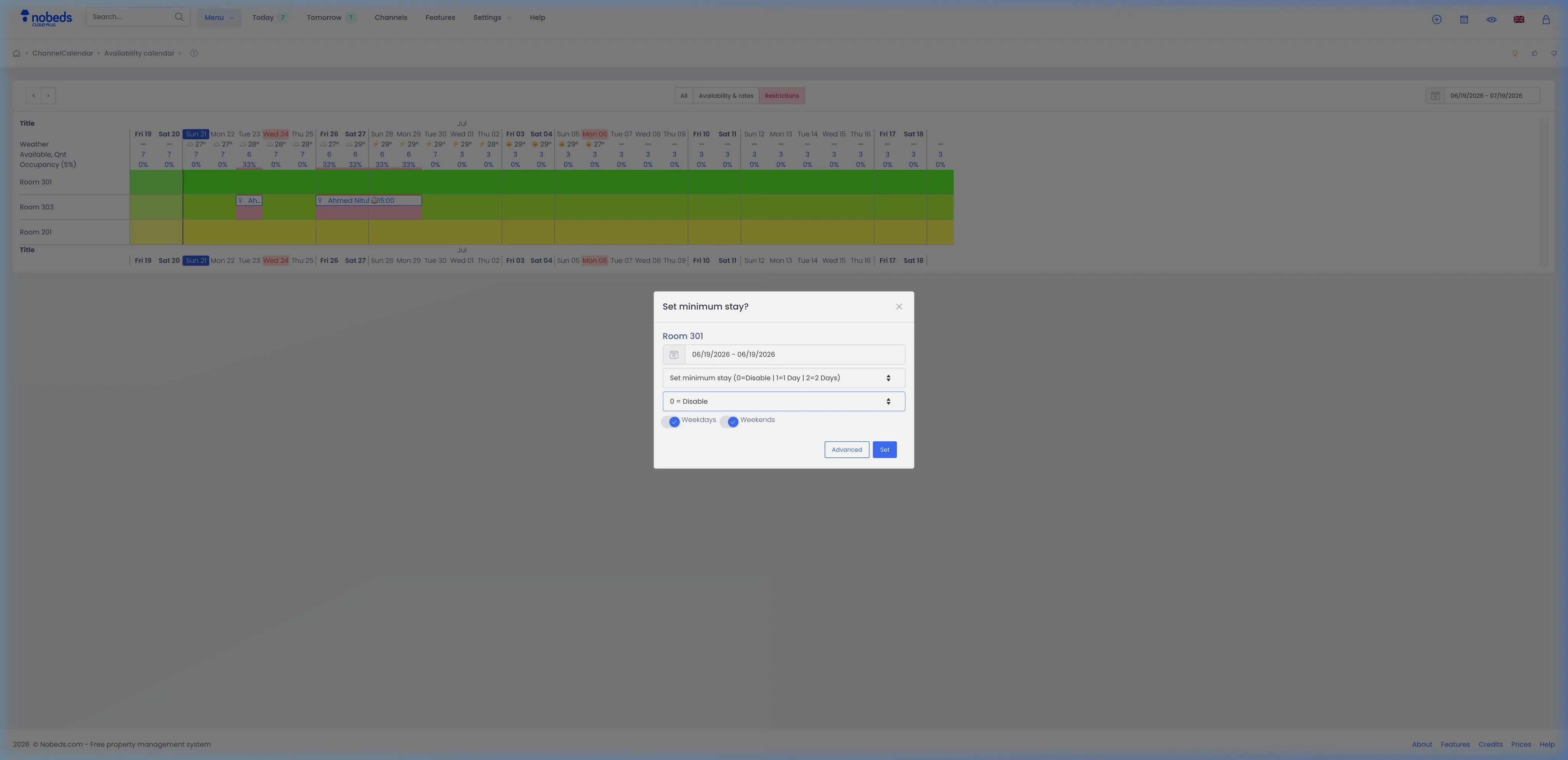
- Click on the calendar day cell to open the quick update modal.
2. Open Advanced Edit Modal
To access occupancy options for a date range:
- In the quick update popup window, click the Advanced button in the footer.
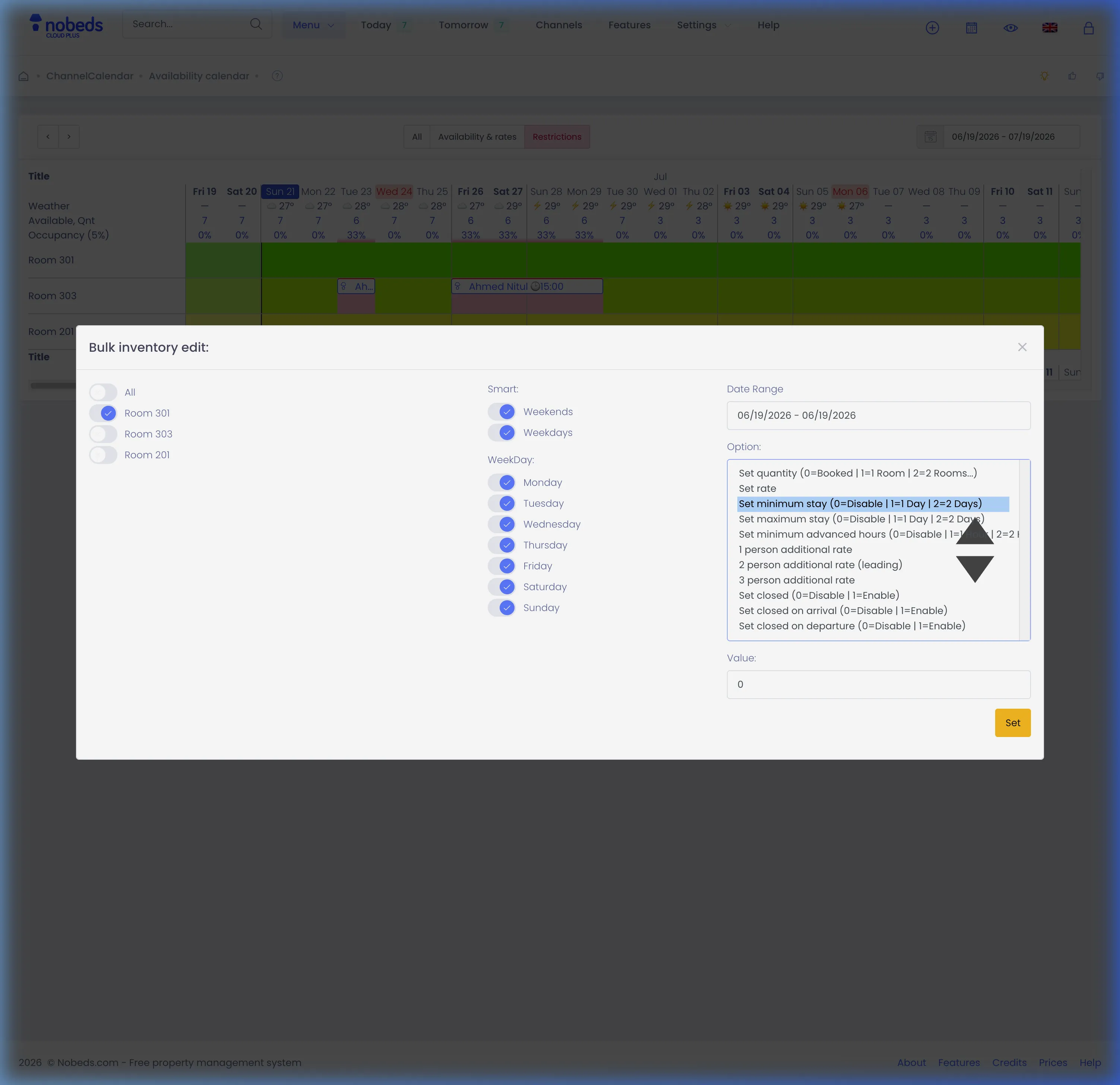
- This opens the Bulk Inventory edit form.
3. Choose Rate Type and Value
To apply the new occupancy rates:
- In the Option dropdown, select the rate to adjust (e.g., 2 person additional rate (leading) for base price, or 1 person additional rate for single occupancy).
- Under Value, enter the amount (base price, or adjustments like -10 or +15).
- Select the room types, weekdays, and the date range.
- Click Set to apply and save changes.
Important Notes
- Occupancy rates are automatically synchronized to connected OTAs like Booking.com and Airbnb.
- Ensure your listing rooms have maximum guests set correctly in their settings before configuring rates.
Tips
- For quick daily edits, you can select the rate option directly inside the calendar cell popup.
- Use negative adjustments (e.g., -15) for single occupancy discount or positive values for extra guests.
FAQ
How do I configure occupancy pricing in NOBEDS?
Go to the Availability calendar, click on a date cell, press Advanced, choose the occupancy rate option, enter the price value, select your rooms/dates, and click Set.
Can I set negative adjustments for single occupancy?
Yes, you can input negative values like -10 to apply a discount to the base rate when fewer guests stay.
Does this sync automatically with booking channels?
Yes, once occupancy rates are saved in NOBEDS, they are synchronized to Booking.com and other XML channels.