Payment Gateways & Direct Bookings
How to Connect Stripe Payment Gateway (0% Commission)?
Accept credit and debit card payments directly on your website with instant payouts and 0% Nobeds booking commission.
1. Locate Stripe Settings in Nobeds
Open your payment configuration:
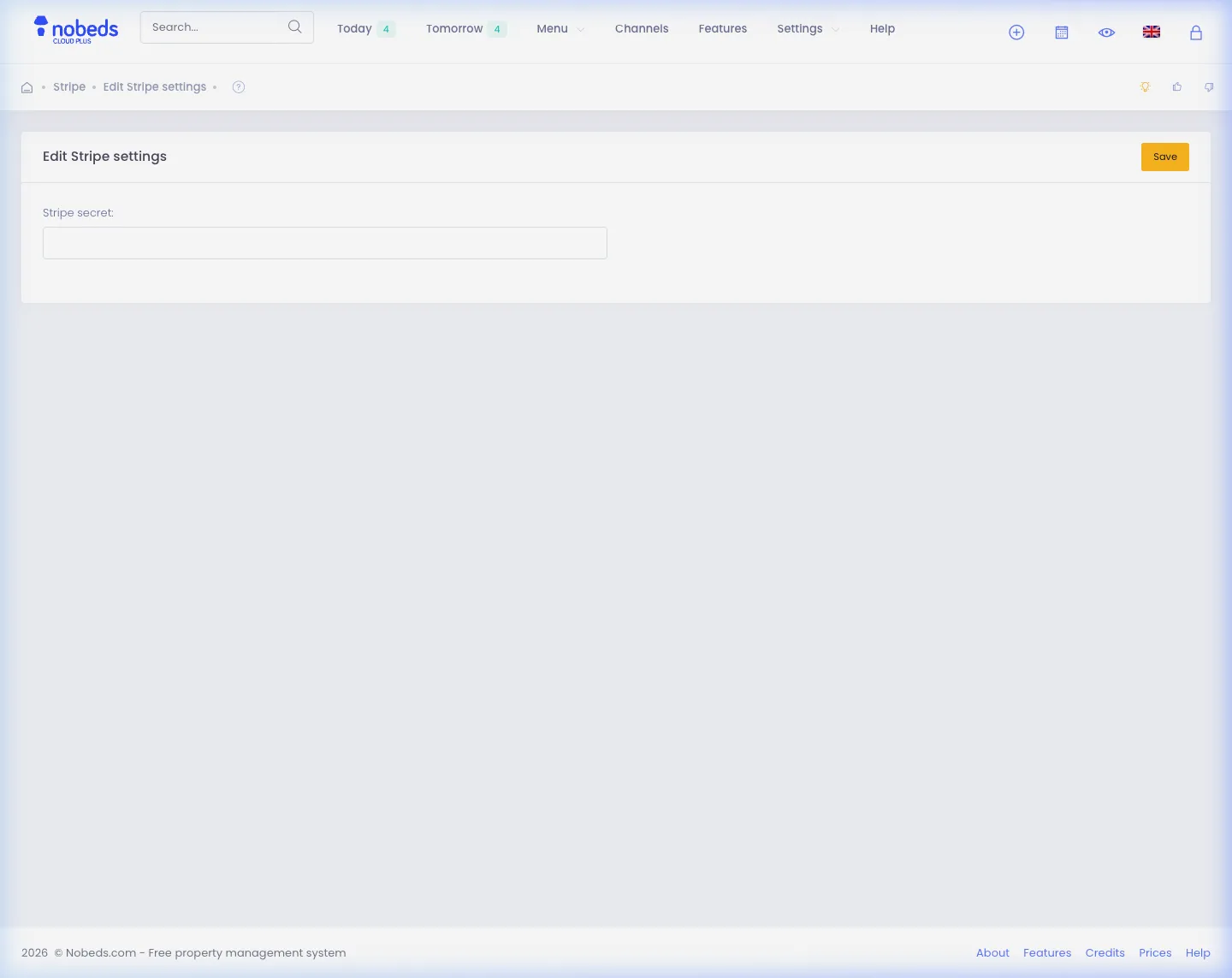
- In Nobeds, navigate to Settings > Payment Info or visit
/Settings/PaymentInfo. - Click the Edit Stripe settings button.
- Select your listing or property to configure individual gateway keys.
2. Enter Your Stripe API Keys
Link your official Stripe account:
- Log in to your Stripe Dashboard (stripe.com) and navigate to Developers > API keys.
- Copy your Publishable key (
pk_live_...) and Secret key (sk_live_...). - Paste them into the corresponding fields in Nobeds and ensure the status is set to Active.
3. Test Direct Checkout & Instant Payouts
Verify your direct booking flow:
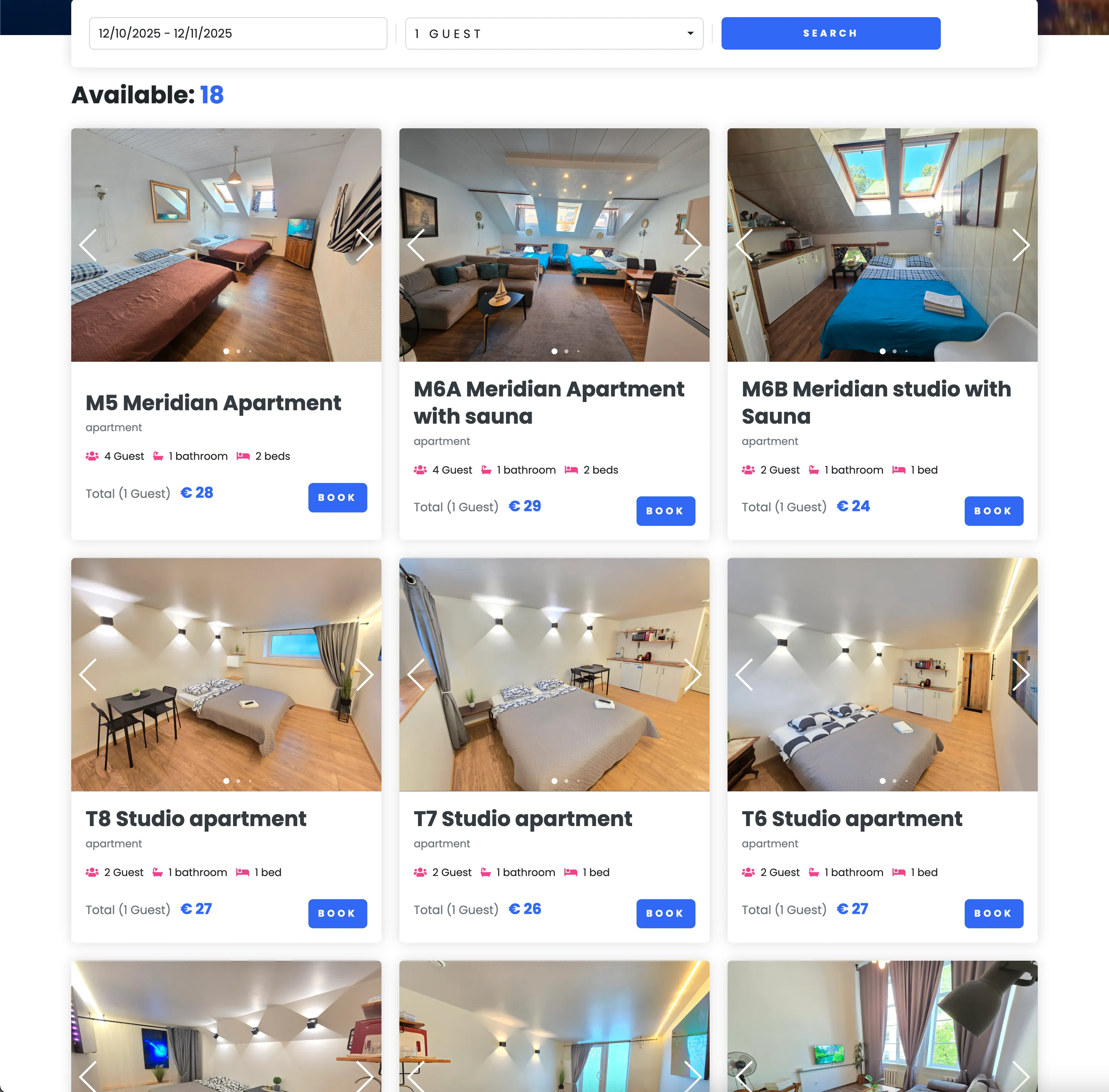
- Open your OnePage Booking Website or embedded booking engine.
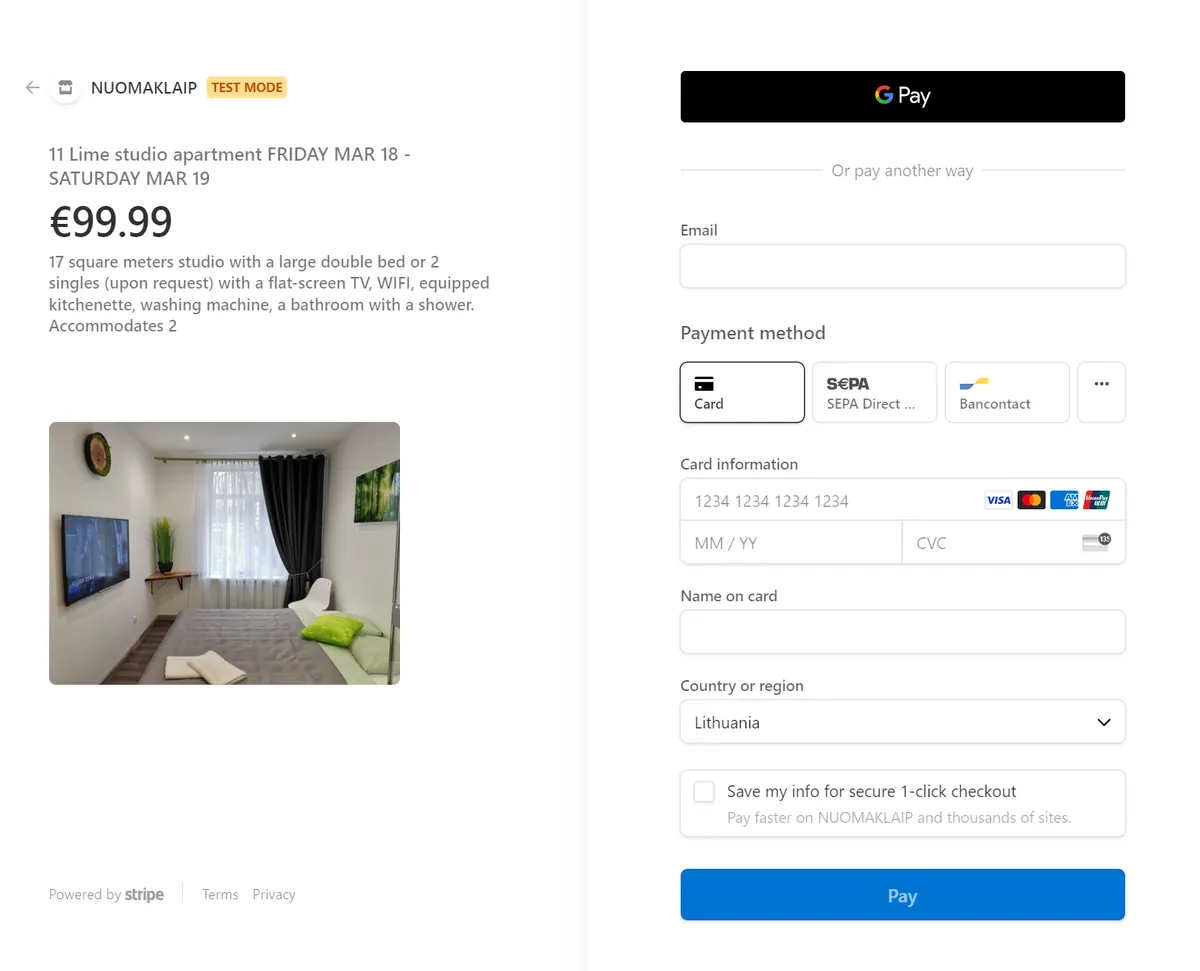
- Make a test booking to verify the Stripe Checkout card form appears.
- Upon payment completion, 100% of the funds go straight into your Stripe account with immediate capture.
Important Payment Notes
- Nobeds charges 0% commission on direct bookings. You only pay standard Stripe processing fees directly to Stripe.
- Card payments are captured immediately upon confirmation. Pre-authorization / delayed capture is not supported.
Helpful Recommendations
- Ensure the currency configured in Nobeds Settings matches the default currency in your Stripe merchant account.
- If your country is not supported by Stripe, enable manual bank transfers or SumUp under Settings > Payment Info.
FAQ
Q:Can I connect different Stripe accounts for different properties?
Yes! You can assign unique Stripe API keys per listing or hotel property in Nobeds.
Q:Are guest credit cards stored on Nobeds servers?
No. For maximum PCI-DSS compliance and security, card numbers are tokenized and processed entirely by Stripe.
Q:How fast do I receive funds in my bank account?
Payouts are sent to your bank account according to your Stripe payout schedule (usually 2 business days or daily).
Stripe Integration Guide
Click to Enlarge
Click to Enlarge
Click to Enlarge
Checklist
- Stripe Publishable Key (pk_live_...)
- Stripe Secret Key (sk_live_...)
- Matching currency setup
- 0% Nobeds commission