How to Connect Airbnb to Free Channel Manager
Manage your Airbnb bookings, availability, and prices directly from Nobeds. Connect multiple accounts for a centralized overview.
Why use Direct API?
Direct API connection is superior to iCal. It provides real-time synchronization (instant updates) and allows you to manage prices, not just availability. iCal is much slower and lacks pricing control.
Multiple Airbnb Accounts
You can link several Airbnb accounts to one NoBeds profile. This allows you to manage all your properties from a single dashboard, even if they are on different Airbnb accounts.
Step 1: Open Airbnb Channel
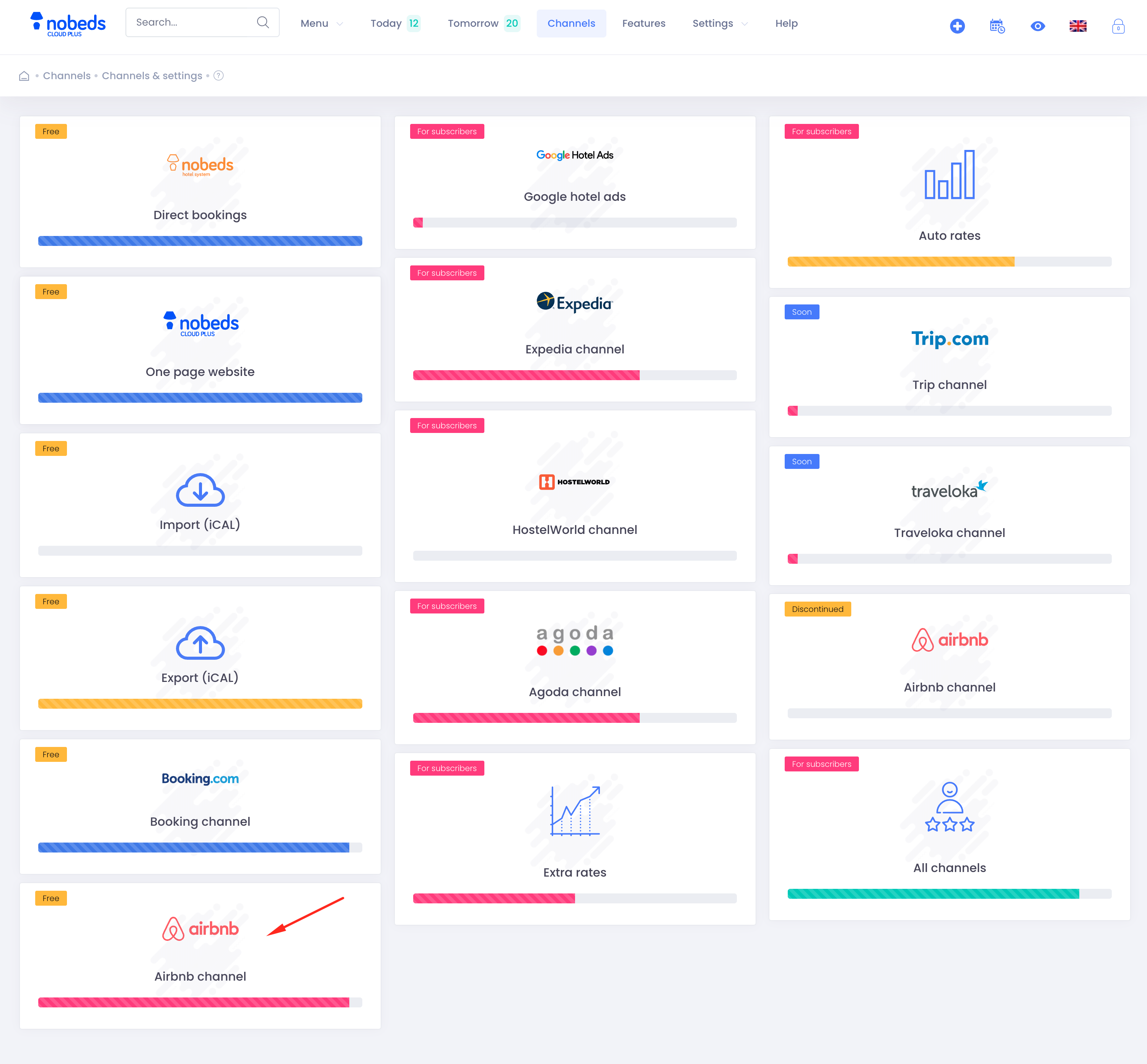
Navigate to Menu > Channels and click on the Airbnb channel card to begin the setup.
Step 2: Connect with Airbnb
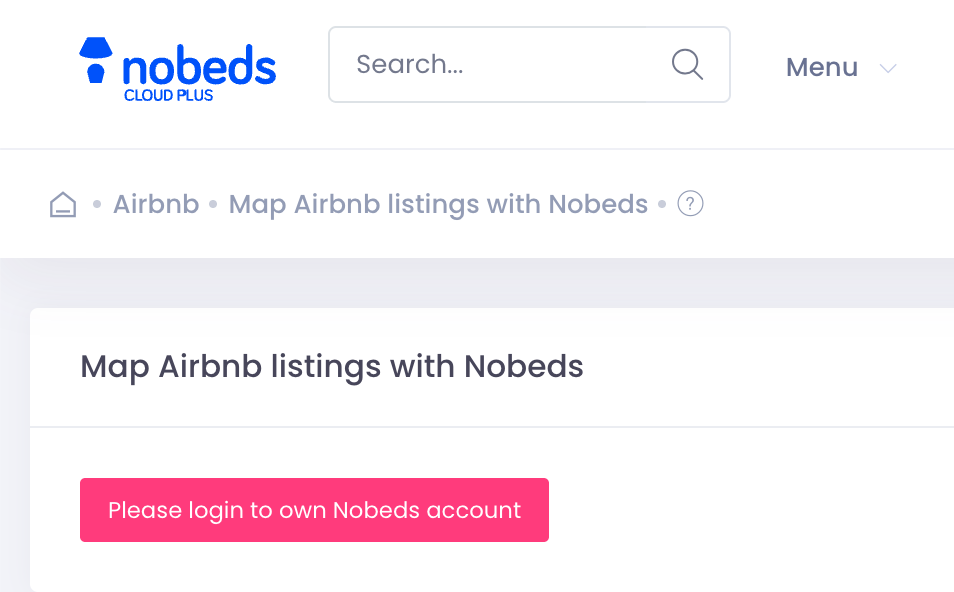
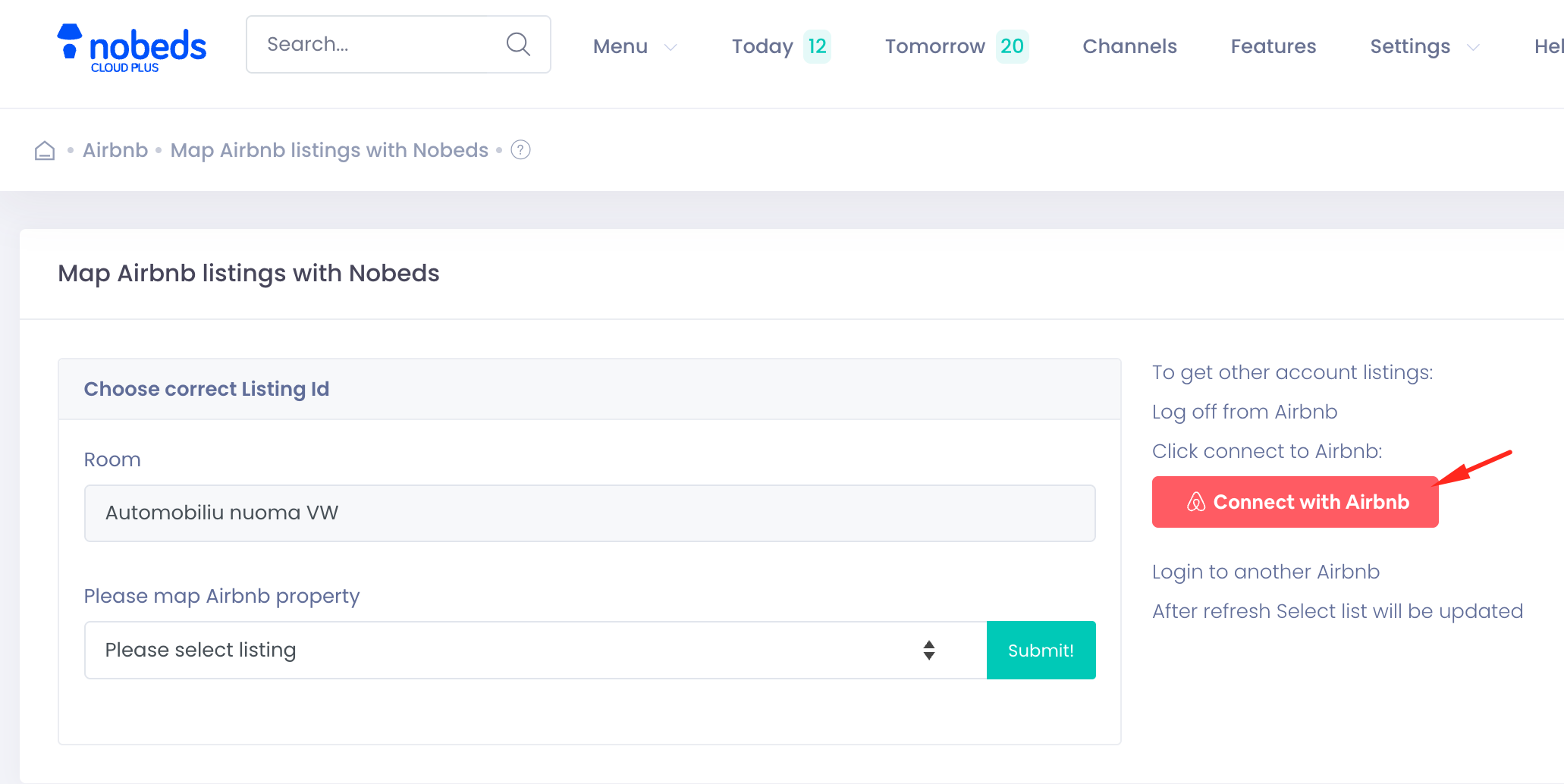
Click the "Connect with Airbnb" button. You will be redirected to Airbnb to authorize the connection with NoBeds.
Step 3: Map Your Listings
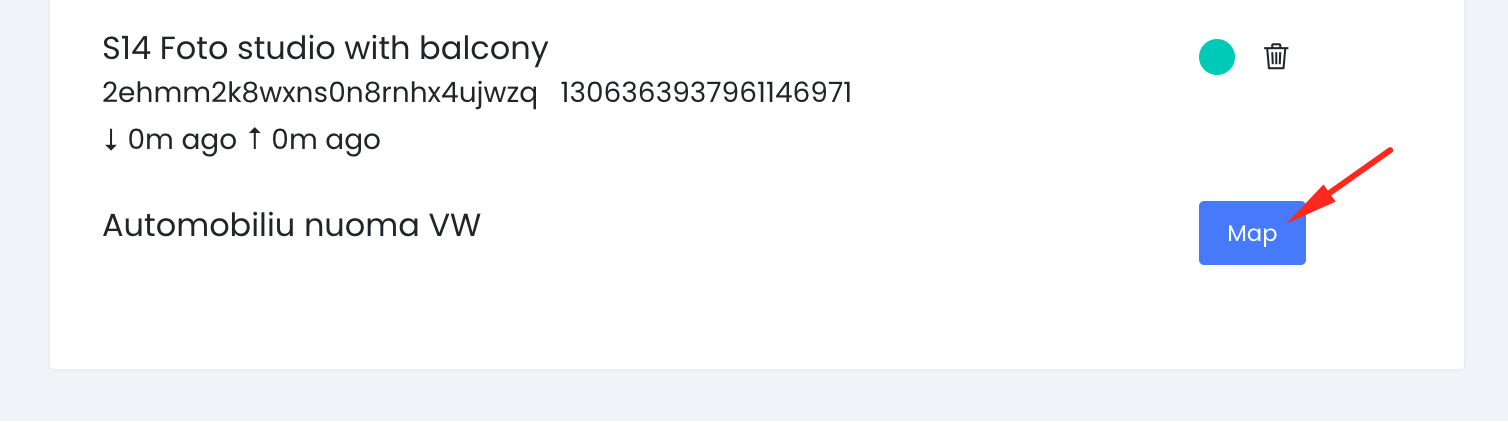
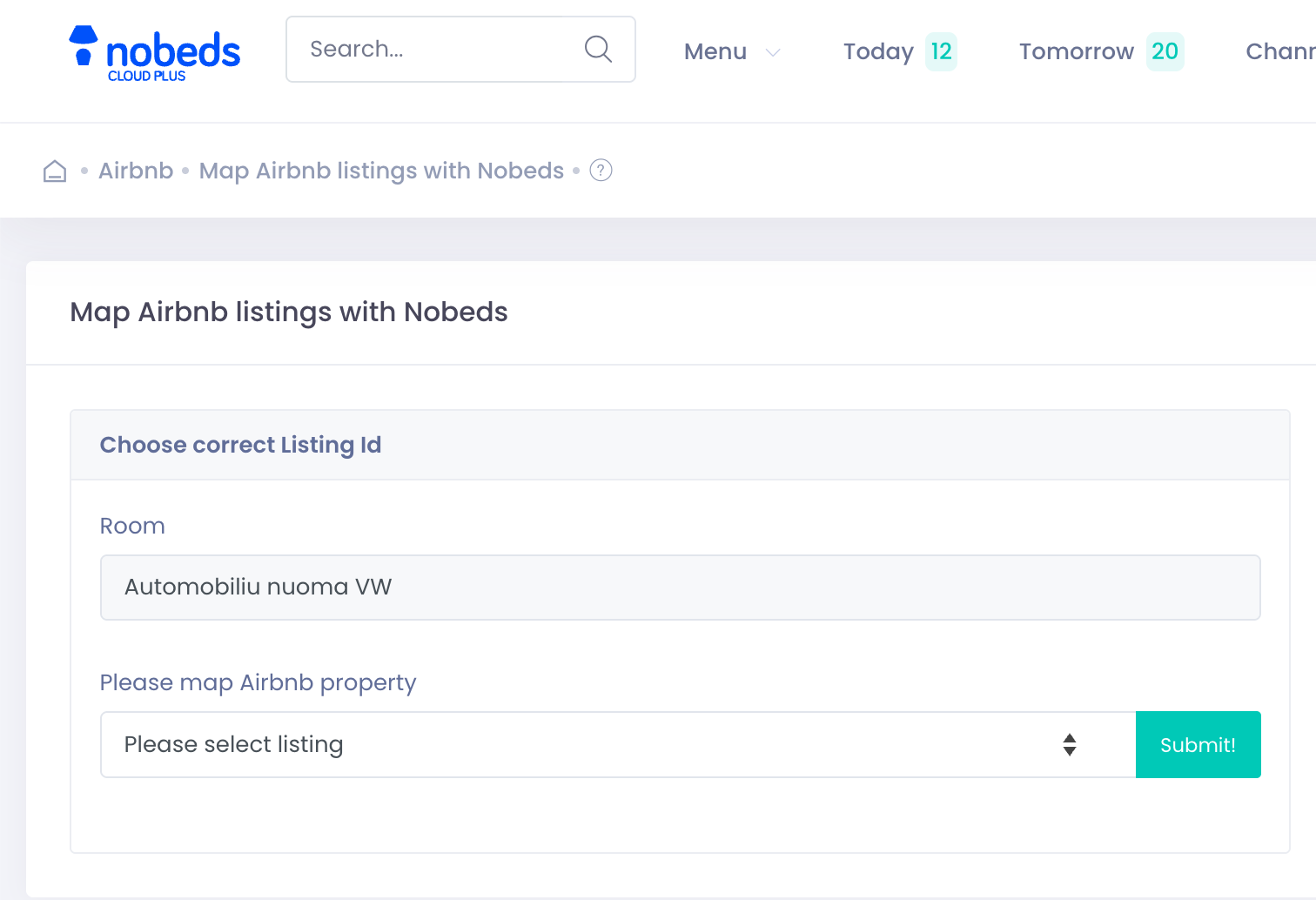
Once connected, click "Map" next to each of your rooms and select the corresponding Airbnb listing from the dropdown menu to link them.
Pro Tip: Switching Accounts
To connect other Airbnb accounts, simply log out from Airbnb in your browser, then click "Connect with Airbnb" in NoBeds again.
"Connected multiple accounts? All your listings will appear in the mapping list automatically!"