How to Disconnect Airbnb from Channel Manager
If you need to stop the synchronization or change accounts, follow these steps to remove NoBeds access from your Airbnb settings.
1. Open Airbnb Account Settings
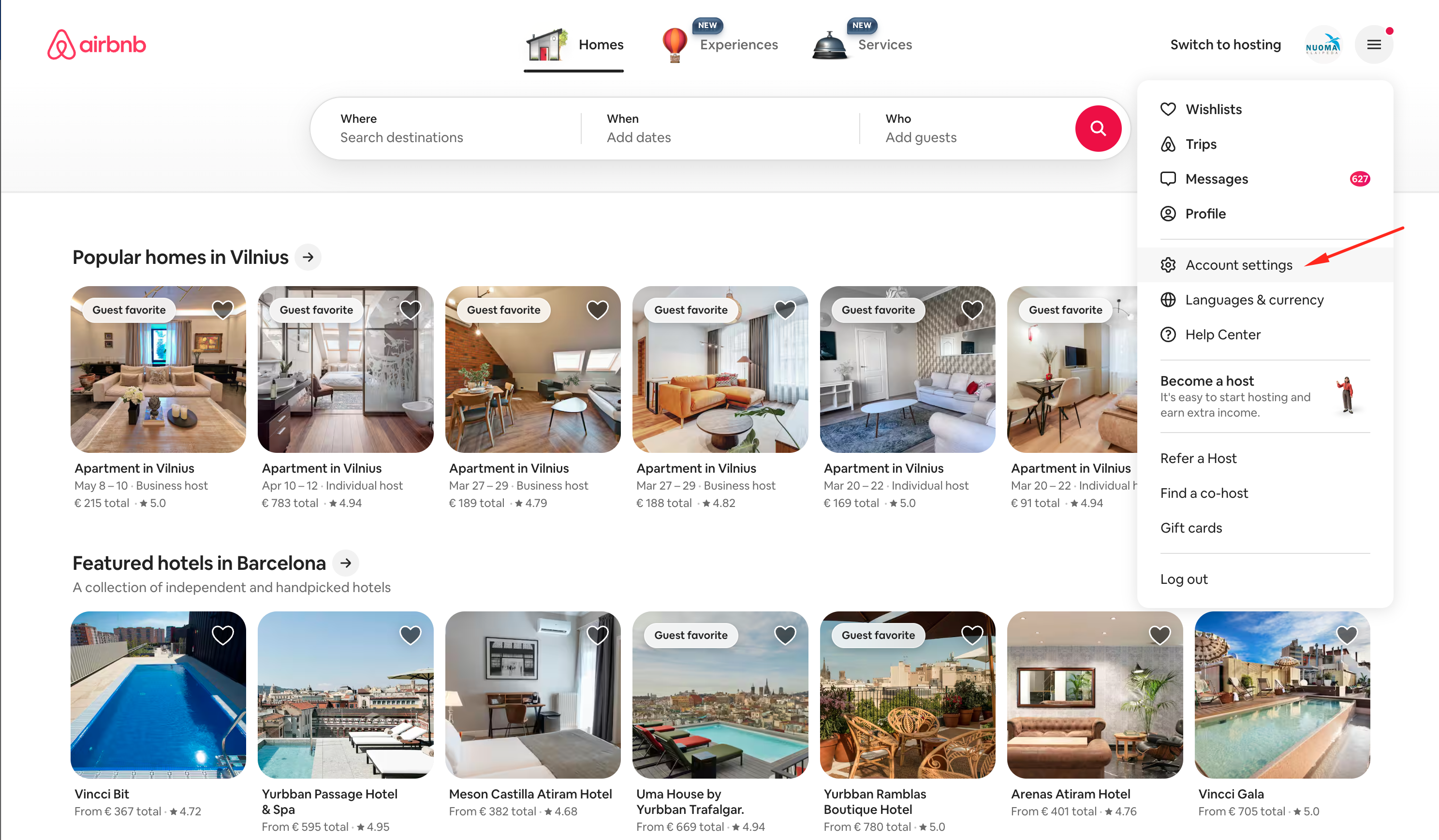
Login to your Airbnb account on a desktop browser. Click on your profile icon in the top right corner and select 'Account settings' from the dropdown menu.
2. Navigate to Privacy
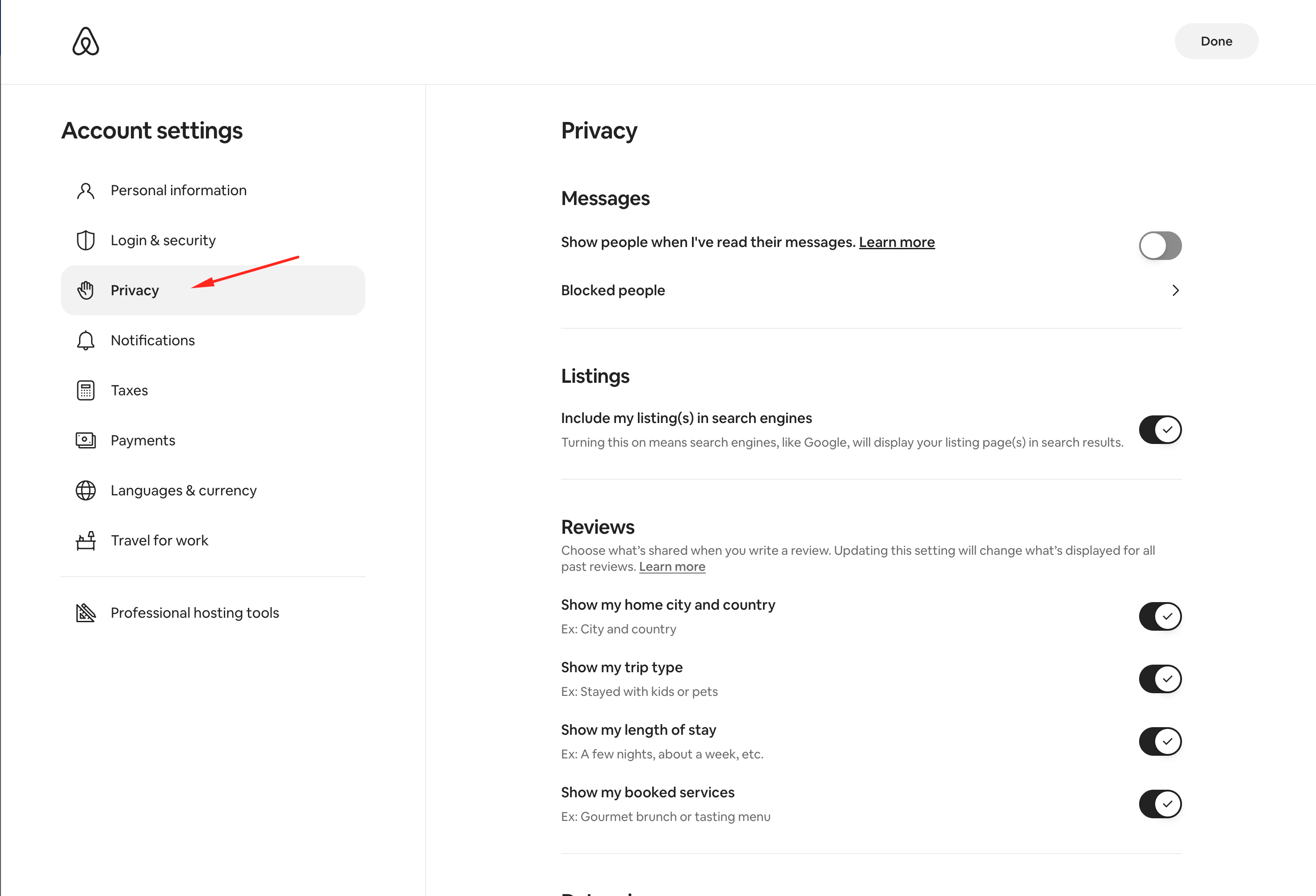
In the Account settings sidebar or grid, find and click on the 'Privacy & sharing' (or simply 'Privacy') section.
3. Remove NoBeds Access
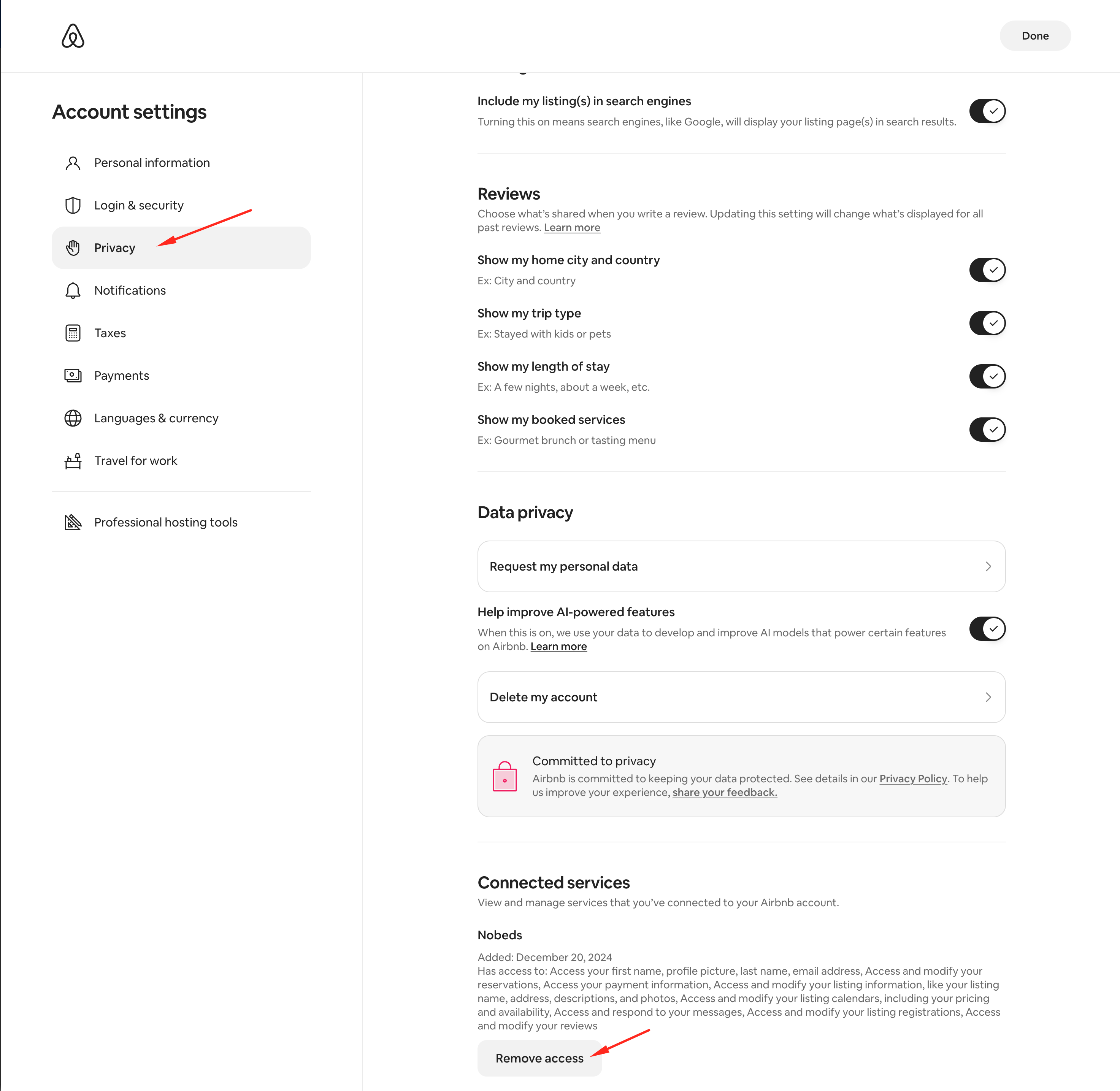
Scroll down to the 'Connected services' section. You will see NoBeds listed there. Click the 'Remove access' button to stop the integration.
Important Note
Once disconnected, NoBeds will no longer be able to update your calendar or receive new bookings. Make sure to manage your availability manually or connect a different account immediately to avoid overbookings.
Need to reconnect?
If you only wanted to switch accounts, you can now go back to Nobeds and follow the connection process again.
How to Connect Airbnb