How to Disconnect Booking.com from Channel Manager
Follow these steps to deactivate the connection between Booking.com and NOBEDS.
1Step 1 — Login to Booking.com
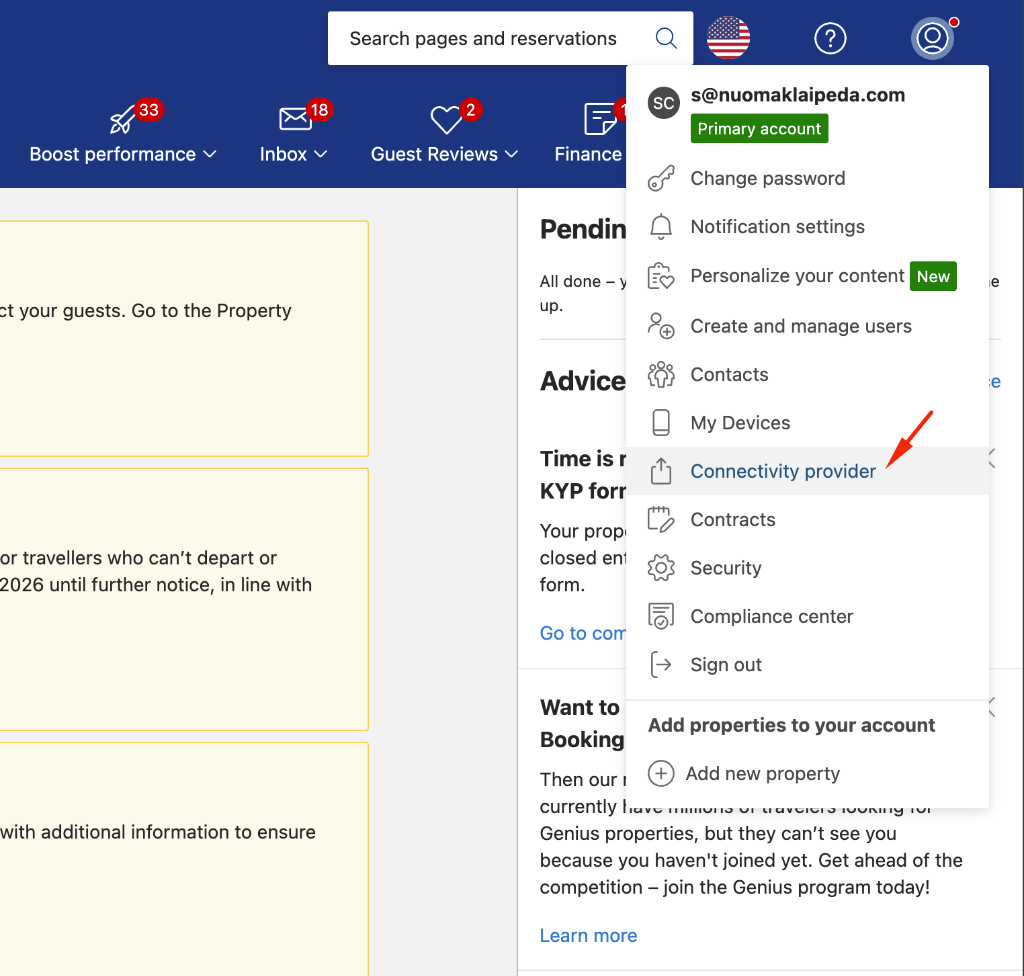
Log in to your Booking.com Extranet. Click on the "Account" icon in the top-right corner.
Navigate to the connectivity settings of your property specifically.
2Step 2 — Connectivity Provider
From the dropdown menu, select "Connectivity provider" to open your connection management settings.
3Step 3 — Disconnect NOBEDS
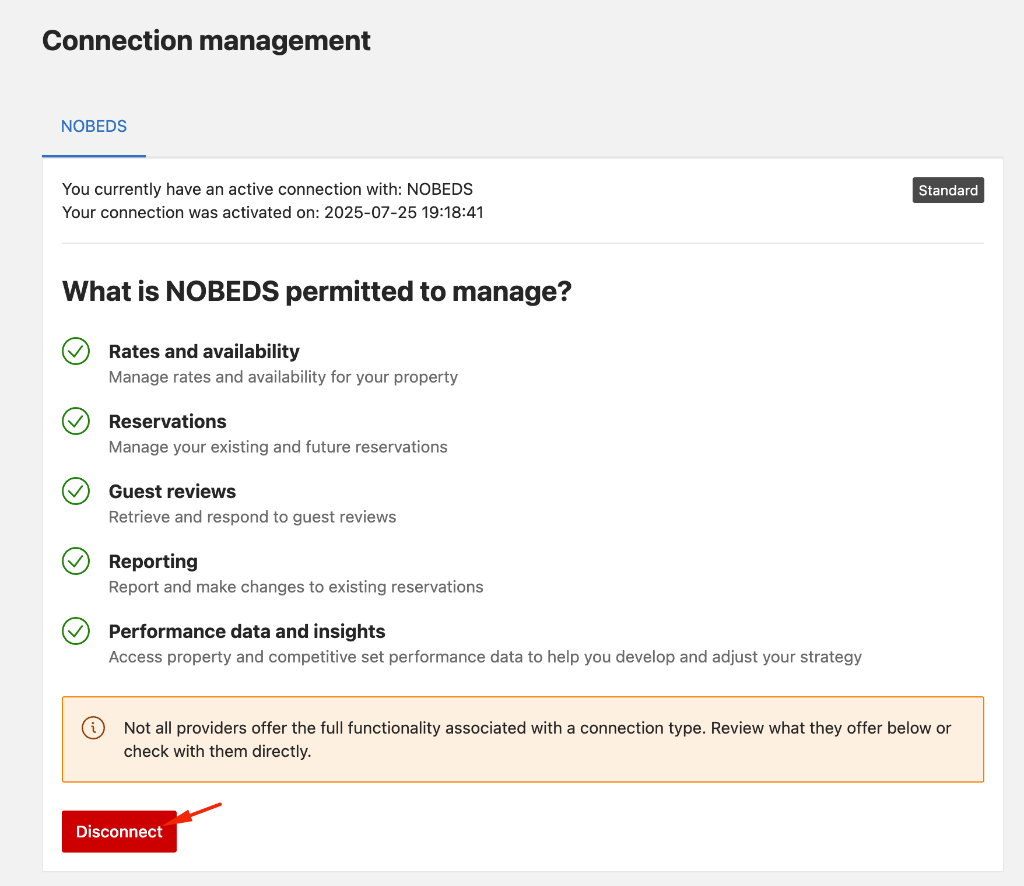
In the "Connection management" section, find the active connection with NOBEDS and click the red "Disconnect" button.
Confirmation Required
Clicking Disconnect will immediately terminate the XML/API link with NOBEDS.
4Step 4 — Automatic Sync Termination
Once the connection is deactivated on Booking.com, NOBEDS will automatically detect the change and stop all synchronization activities for this property.
You do not need to manually disconnect within NOBEDS; the system handles the termination once the provider is removed from your extranet.
Auto-Disconnected
System Handled