Export Clients Database
Create backups or export client contact details for marketing.
Database Export Guide
1
1. Open Clients Page
Navigate to Reservations and select the Clients list tab.
2
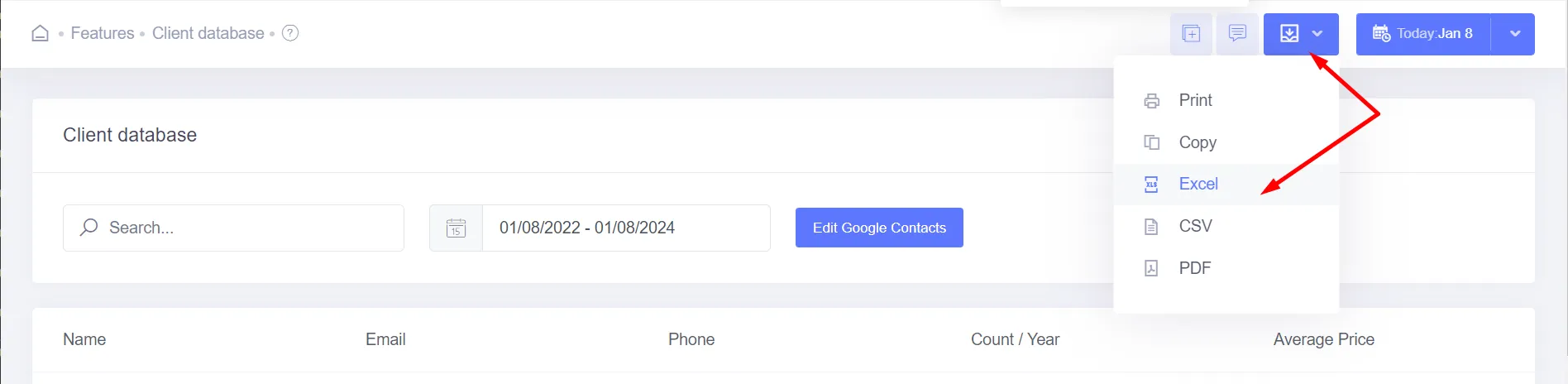
2. Click Export Button
Find the Export button at the top right of the client data grid.
3
3. Choose Format & Save
Select CSV or Excel (.xlsx). Click download to save the spreadsheet directly to your device.
Export Limitations
Large client databases might take a few seconds to compile. Support: support@nobeds.com.