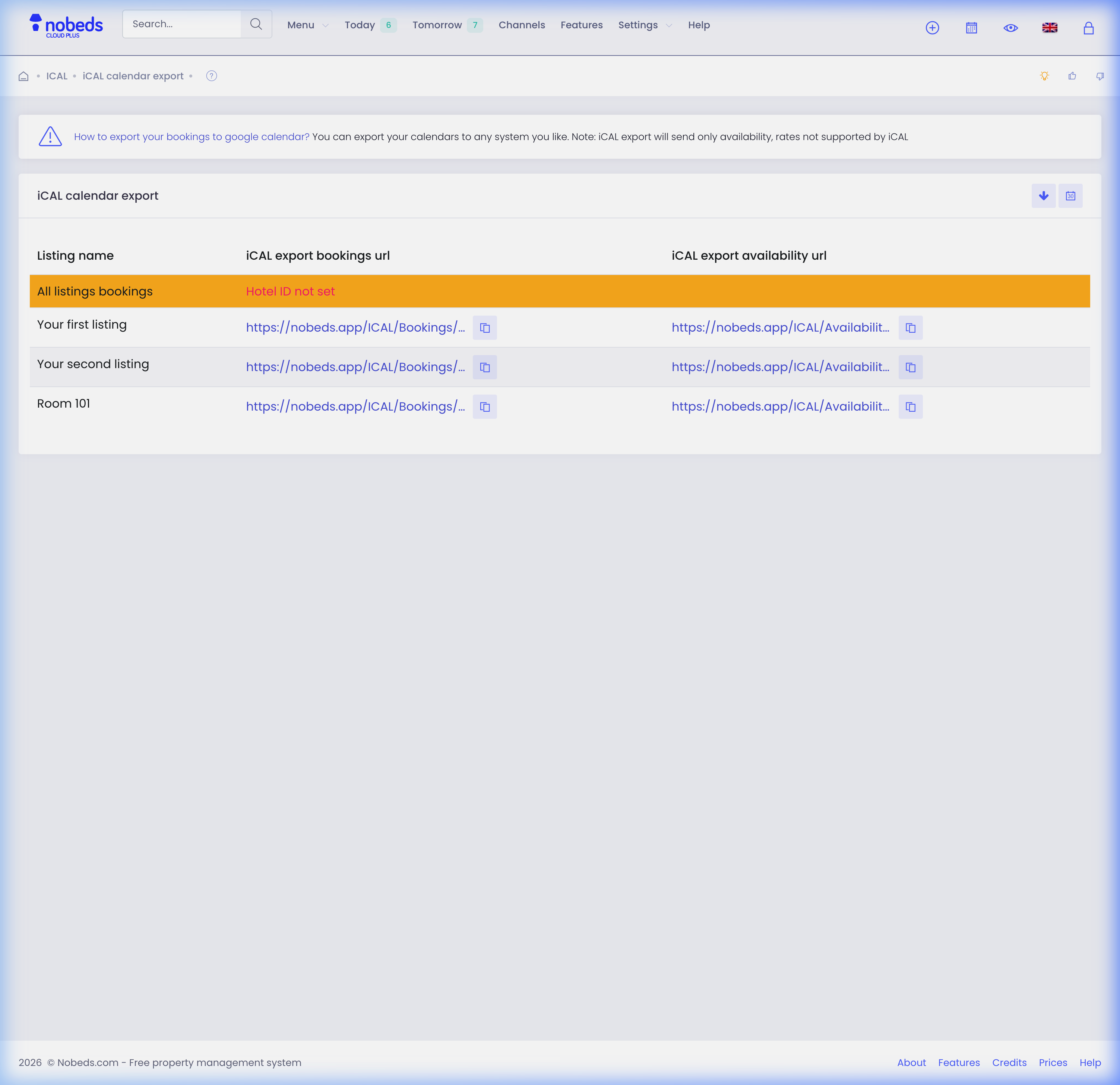
How to export iCal calendar?
Share availability link with VRBO, Agoda, Google Calendar, and other booking channels.
iCal Export Instructions
- Navigate to the Channels menu on the top navigation bar and select Import (iCAL).
- Click on the iCal Export button at the top right of the matrix table.
- Locate your room type or listing, then click Get link to reveal the unique iCal feed URL.
- Click Copy link to save the URL to your clipboard.
- Log in to the external platform (e.g., Airbnb, VRBO, or Google Calendar) and paste this URL into their calendar import/synchronization section.
Automated Syncing
Once connected, external channels will pull calendar updates periodically. If you face any issues, contact us at support@nobeds.com.