How to import iCal calendar?
Synchronize availability from other online travel booking sites via iCal feeds.
About iCal Import
iCal calendar import allows you to import availability feeds from external channels like Airbnb, VRBO, or TripAdvisor. NOBEDS periodically pulls these feeds in the background to automatically block corresponding dates on your calendar.
iCal Import Instructions
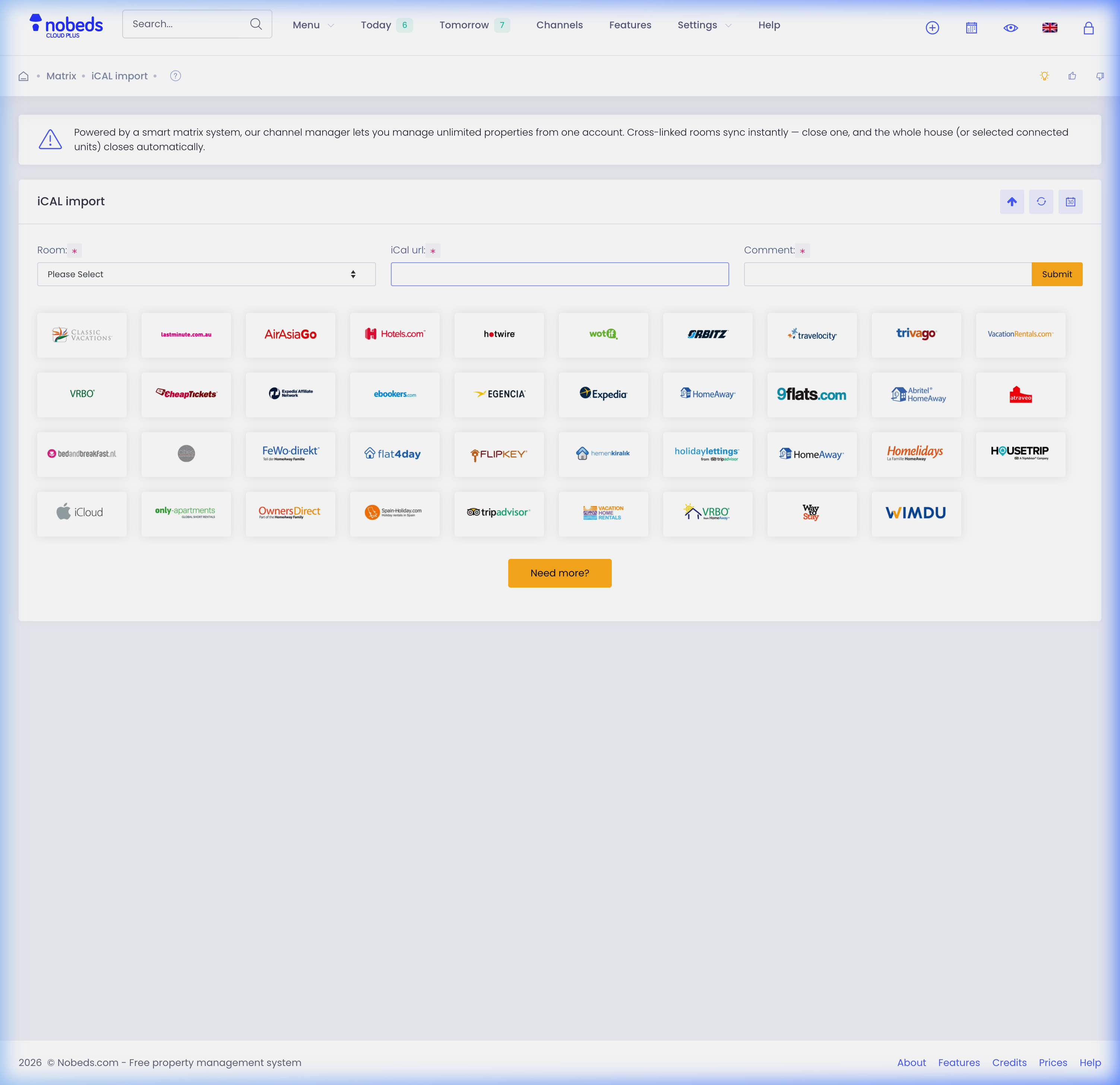
1. Open iCal Import Settings
Navigate to the Channels menu on your NOBEDS dashboard and select iCal Import from the list of options.
2. Assign Room and Paste URL
Select the corresponding room/listing in the room assignment dropdown, paste the third-party iCal feed URL into the field, and add a descriptive name (e.g. 'Airbnb Room 1').
3. Save and Synchronize
Click the Save button. The system will now begin regularly pulling availability updates from the configured iCal URL.
Sync Intervals & API Alternative
Note that iCal updates are not instant; synchronization runs periodically. For real-time updates and rate synchronization, please set up full API integrations. For any questions, contact us at support@nobeds.com.