How to show only certain Listing information?
Limit manager rights to show only selected listing IDs on their accounts.
Listing Access Configuration
1
1. Get Listing IDs
Navigate to Settings > Listings and note down the specific ID numbers of the rooms/listings you want to share.
2
2. Open Manager Settings
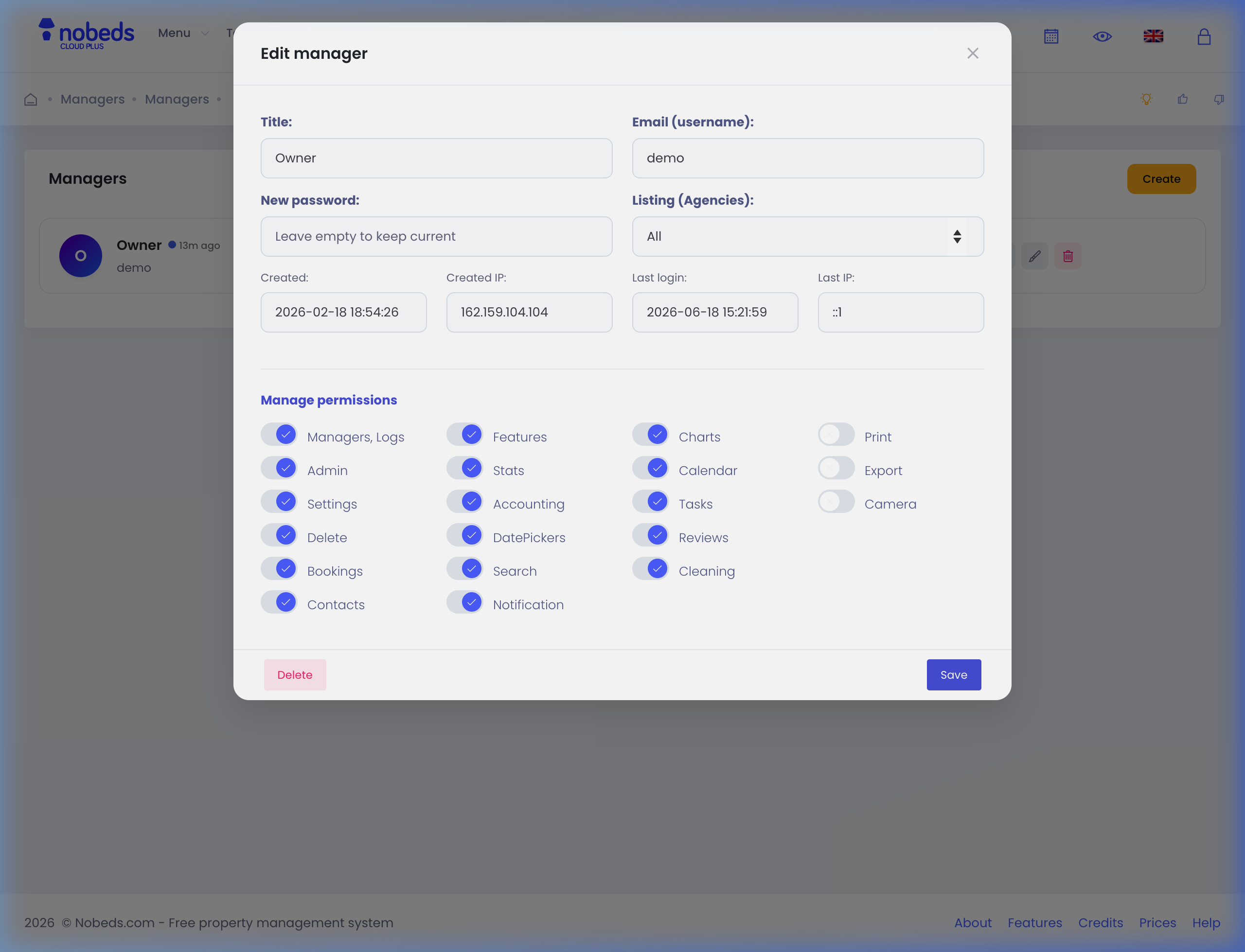
Go to Settings > Managers in the top navigation panel, and edit the specific owner or employee account.
3
3. Set Listing IDs
In the Listing IDs restriction input field, enter the room ID (or multiple IDs separated by commas). Click Save to update access.
Support Assistance
Restricted managers will only see bookings, calendar entries, and statistics associated with their assigned listings. Questions: support@nobeds.com.