AI Auto Rates
Leverage Artificial Intelligence (OpenAI, Claude, or Gemini) to automate your pricing strategies, keep occupancy high, and maximize your property's daily revenue.
Dynamic AI Pricing Overview
The AI Auto rates system automatically scans your local area market, analyzing competitor rates, current weather, and vacancy levels. It runs your personalized rules through leading LLMs (OpenAI, Claude, or Gemini) to calculate the most optimal daily price for each listing, helping you stay competitive and highly visible on OTAs.
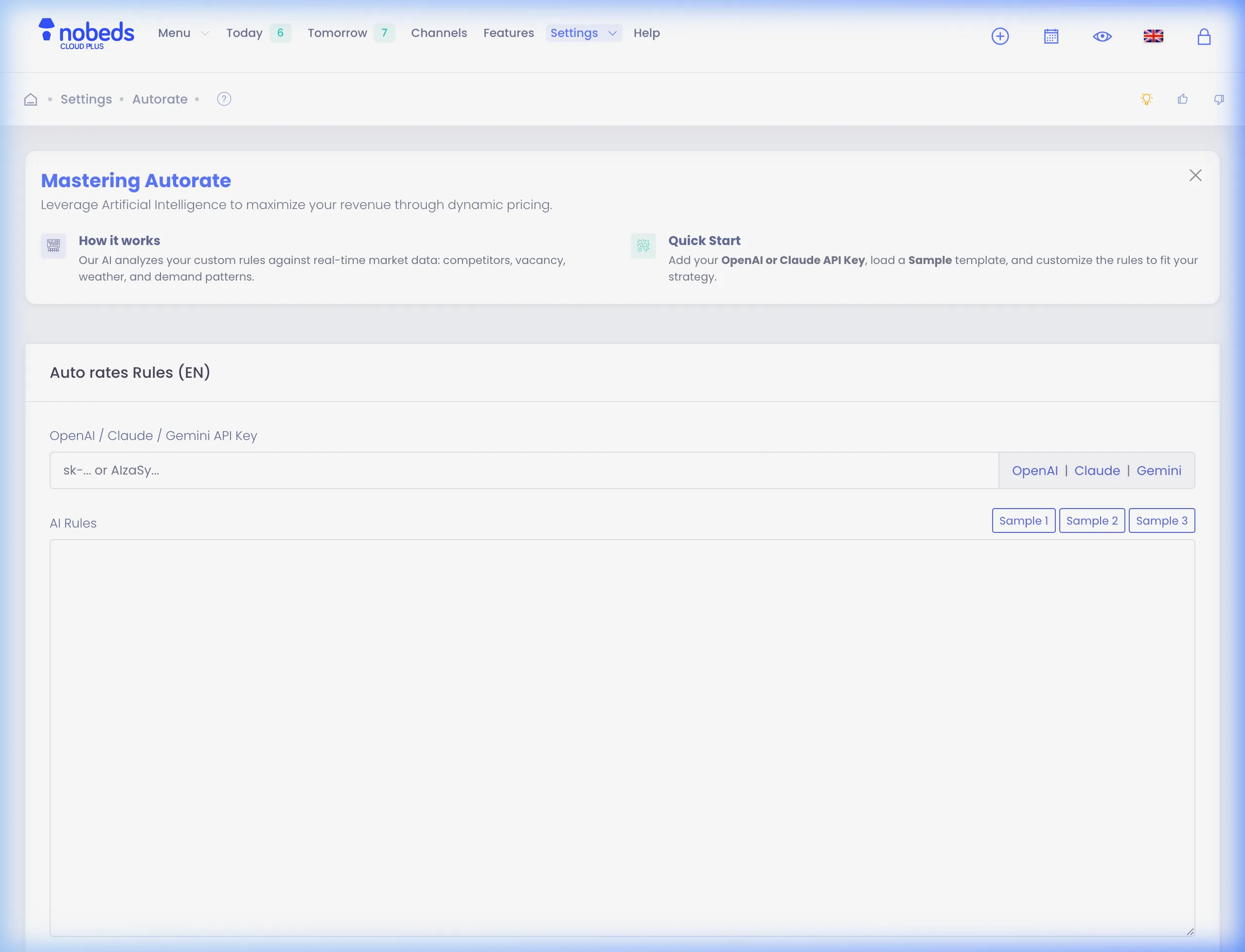
Setting Up AI Dynamic Pricing
Connect Your LLM API Key
Navigate to Settings > Autorate in your NOBEDS dashboard. To power the pricing algorithms, you must enter your own API key. The system supports:
• OpenAI (keys beginning with sk-...)
• Claude (keys starting with sk-ant-...)
• Gemini (keys starting with AIzaSy...)
Click on the links next to the input field to generate or retrieve your keys from your developer portal.
Define Your AI Pricing Rules
Use natural language rules to specify how you want the AI to calculate rates. You can write custom guidelines or load one of the pre-configured templates by clicking Sample 1, Sample 2, or Sample 3. The AI will strictly follow these priorities to set prices.
Example Rule Configuration (Sample 1)
• Do NOT compare to hostels or single rooms.
• Ranking first: never worsen current rank. If an increase worsens rank → keep or lower price.
  - Aggressive mode = TRUE if: Sunday/Monday OR Evening OR Bad weather OR Vacant ≥6.
  - Aggressive TRUE → target Top 5, allow undercut ≤1.00 € vs cheapest competitor, NEVER output a price below 27.00.
  - Aggressive FALSE → target Top 15.
• Rating-driven curve: higher rating ⇒ higher price; strictly monotonic.
• Price guardrail: never less than 27.00 €.
• Weather: use exactly as provided; if missing → assume 'Bad (assumed)'.
Configure the AI Knowledge Base
Below the AI Rules, fill out the AI Knowledge Base section. Here you can write detailed information about your property (e.g. check-in/out hours, Wi-Fi password, parking location, house rules, breakfast, nearby restaurants). This knowledge base is used by the system's AI assistant to automatically draft and send replies to guest inquiries directly inside your Inbox / Messages section.
Need Help with Your Strategy?
Dynamic AI pricing is highly customizable. If you need assistance building complex formulas or setting up specific rules, please contact our support team at support@nobeds.com.