How to create new manager credentials?
Creating manager accounts allows you to add staff members (receptionists, cleaners, or administrators) to NoBeds with specific custom permission sets.
Step-by-Step Instructions
- Go to the Settings menu from the top navigation header.
- Select Managers from the sidebar configuration list.
- Click on the yellow Create button in the top-right corner of the manager list table.
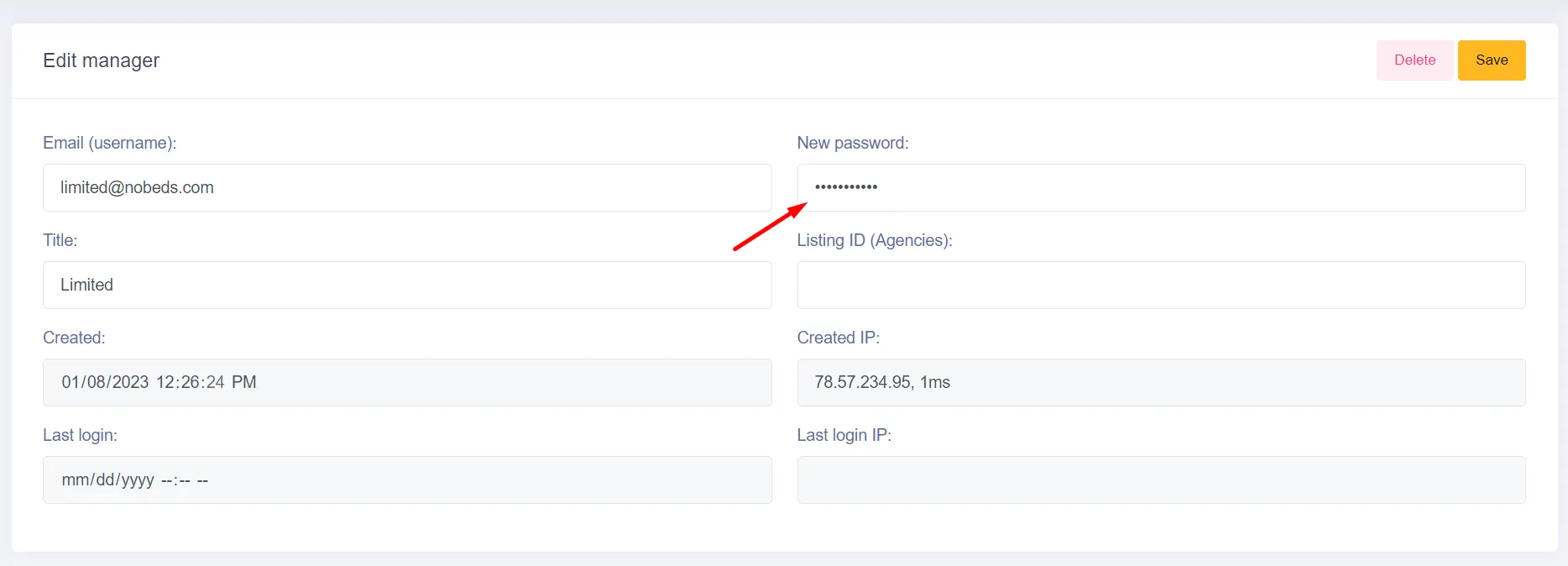
- Complete the creation form with the required fields:
• Title: Enter the manager or staff name (e.g., John Smith or Receptionist A).
• Email (username): Input their email address, which will serve as their login ID.
• Password: Type in a secure password. It must be at least 8 characters long and include any 3 of: uppercase letters, lowercase letters, numbers, or symbols. The password strength bar must score at least 4 out of 5 stars (80%) to submit.
- Note that creating new manager accounts is a premium feature. If you do not have an active subscription, the system will display a notice: Only for subscribers.
- Verify the password indicator changes to a green state (4/5 or 5/5 score).
- howtohow-to-create-new-manager.section1.b2.i3
- howtohow-to-create-new-manager.section1.b2.i4
- Click the green Save button in the top header to save the new credentials.