How to delete certain listing?
Remove a listing from your inventory when a room is no longer rented out.
Delete a Listing Step-by-Step
1
1. Go to Settings
Navigate to the Settings menu and click on the Listings option to load your active inventory list.
2
2. Open Listing Editor
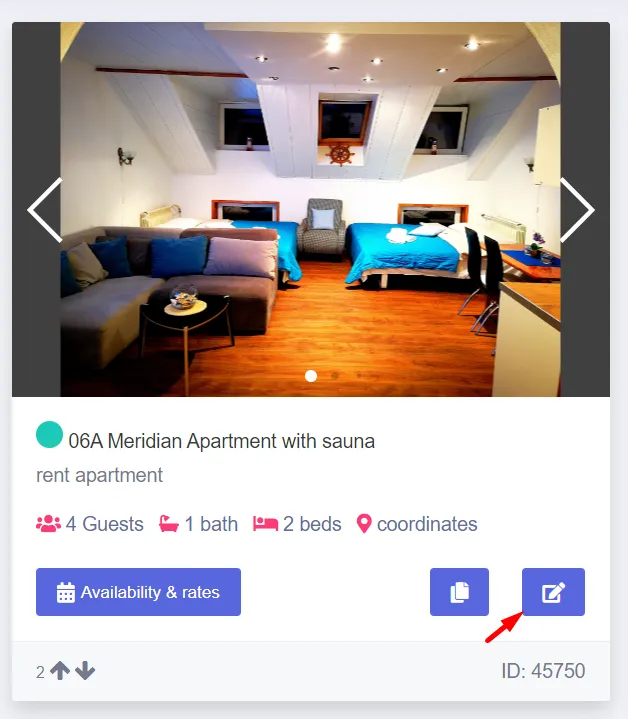
Locate the specific listing you want to remove in the grid, and click on the edit details button next to it.
3
3. Delete and Confirm
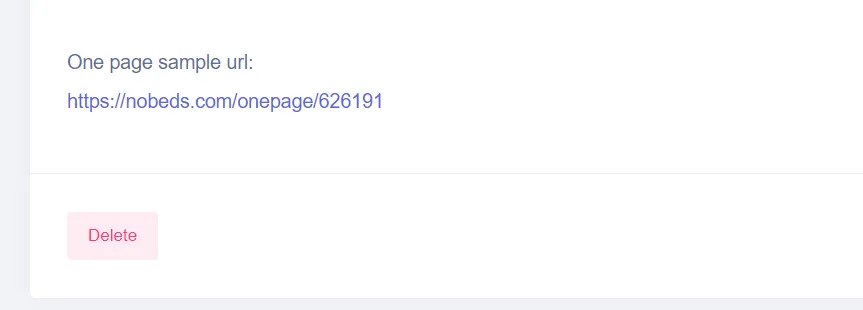
Scroll down to the bottom of the form and click on the Delete button. Confirm the action when prompted to permanently erase the listing and all its settings from the system.
Support Assistance
Deleting a listing is permanent. If you need assistance preserving past stats, contact support@nobeds.com.